Physical Address
304 North Cardinal St.
Dorchester Center, MA 02124
Physical Address
304 North Cardinal St.
Dorchester Center, MA 02124


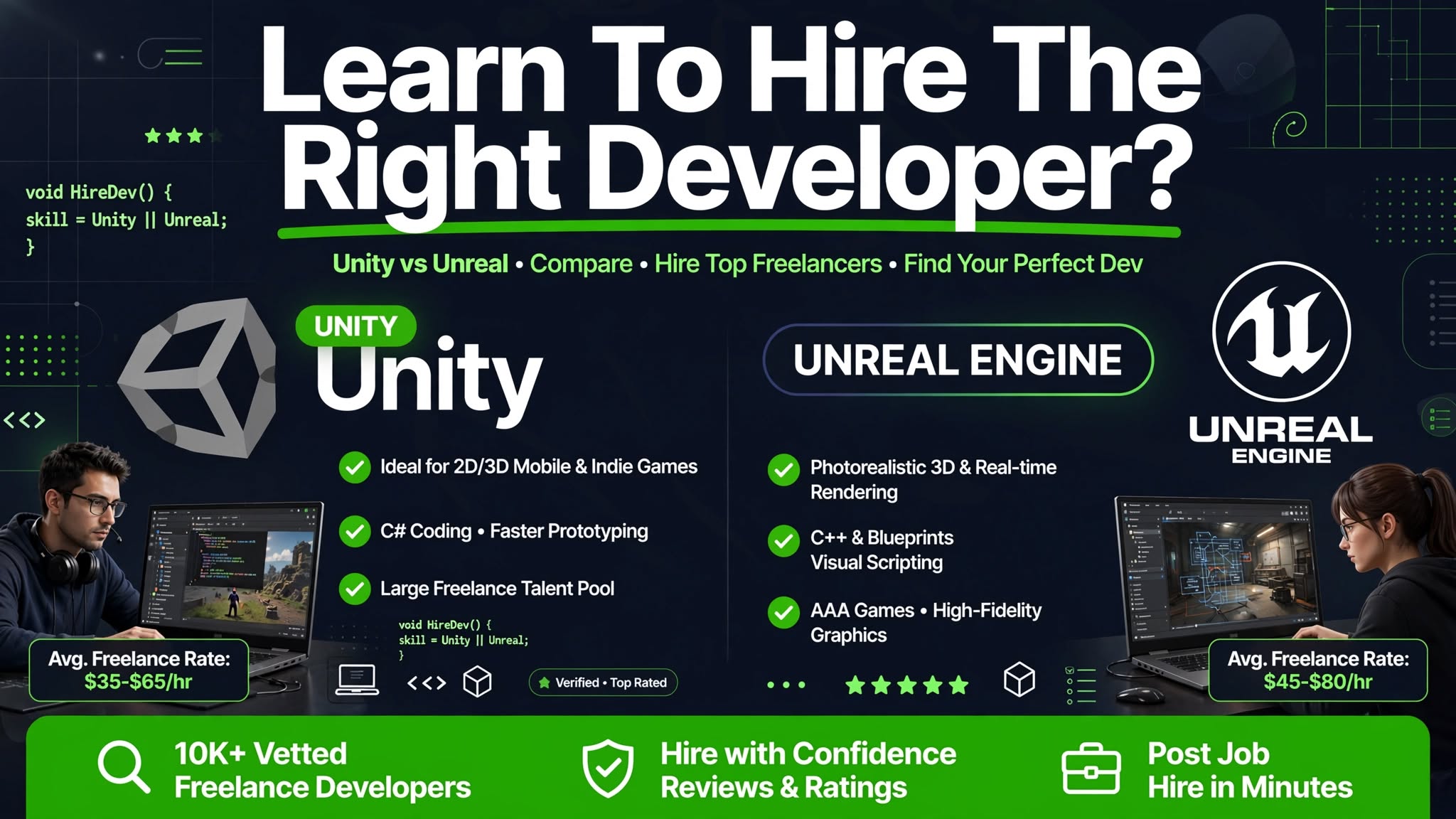
Quick Verdict: If you are building a mobile game, a 2D title, indie projects, or anything that needs to run on a wide range of devices, you’re on a tight budget, Unity is your engine, thanks to its faster learning curve and lower typical developer rates.
If you are making a high-end console or PC game with photorealistic graphics, Unreal Engine is the better choice.
Just think console games, PC titles, and virtual production, but it usually costs more and takes longer to find the right specialist.
Either way, the engine only gets you halfway there; hiring a developer who actually knows that engine well is the other half.
Your decision should be driven by your project’s needs, budget, and timeline, not by which engine is more popular.
This guide helps you decide which developer to hire on Upwork for Unity vs Unreal projects.
To compare Unity vs Unreal fairly based on hiring patterns on Upwork, we looked at five specific criteria:
We also reviewed publicly listed Upwork developer profiles for both engines, comparing rate ranges, portfolio quality, and how developers described their own experience, to make sure the cost figures and hiring guidance in this article reflect what buyers actually encounter, not just marketing claims from Unity or Epic Games.
Unity is a game engine launched in 2005. It was built to be accessible to indie developers, and it has become the most popular game engine on the planet.
Unity holds a 25.13% market share in game development, compared to Unreal Engine’s 14.99%. In 2024, Unity was used for just over half of all games on Steam.
This means that hiring a Unity developer on Upwork is often easier because there are more of them.
You can find a developer with experience in your specific genre, whether it’s a 2D platformer or a complex multiplayer game.
Unreal Engine, developed by Epic Games, was first released in 1998. It was designed for AAA studios from the start, and it is famous for its high-end graphics and powerful tools.
In 2024, Unreal Engine was used in games that represented 57% of units sold on Steam. While less widely used than Unity, it is the engine of choice for many blockbuster games, such as Fortnite, Gears of War, and Hellblade II.
Now that you understand the big picture, let’s break down the technical differences in detail.
Unity uses C# as its primary programming language. It is a modern, high-level language that is considered easier to learn and work with than C++.
While Unreal Engine uses C++, a more complex and powerful language that gives developers finer control over hardware, but it also has a steep learning curve.
However, Unreal offers Blueprints, a visual scripting system that allows you to create game logic by connecting nodes, which is much more accessible to non-programmers.
This is the most significant difference between the two. Unreal Engine is the undisputed king of visual quality. It ships with features like Lumen (dynamic global illumination) and Nanite (virtualized geometry) that allow for photorealistic graphics out of the box.
Unity can also produce high-quality visuals, especially with its High-Definition Render Pipeline (HDRP), but achieving Unreal’s level of realism usually requires more work and expertise.
Unity is generally considered more beginner-friendly. Its interface is straightforward, its documentation is strong, and its large community makes it easier to find help.
Unreal is more complex and can feel overwhelming to new users. While Blueprints make it easier for non-coders to get started, you will eventually need to learn C++ for complex features.
This means a Unity developer can often deliver a prototype faster than an Unreal developer, especially for simpler games.
Unity was built from the ground up to be cross-platform and excels at deploying to mobile, PC, and consoles. It is the engine of choice for mobile games.
Unreal can also deploy to all these platforms, but its games are generally larger and more resource-intensive, making them less ideal for mobile.
For mobile development, Unity is the clear winner in terms of both ease and performance.
This is a major difference that can affect your budget.
While a Pro license costs $2,200 per seat annually, and custom Enterprise plans are available for larger studios.
In 2023, Unity attempted to introduce a controversial “per-install” fee but later scrapped it following developer backlash.
This makes it a very attractive option for small indie developers who are not yet earning significant revenue.
Now, let’s look at specific project types and see which engine is a better fit for your kind of project, beginning with
Winner: Unity
Unity is the clear choice for mobile game development. Its optimization pipeline and efficient handling of resources make it ideal for the limited hardware of phones and tablets.
The games are smaller in file size, run smoother on a variety of devices, and use less battery power. While you can build mobile games in Unreal, they are often not as well-optimized and tend to have larger file sizes.
You May Also Like: What Makes Upwork Great for Hiring React Native Developers?
Winner: Unreal Engine
For high-budget games targeting next-gen consoles (PlayStation 5, Xbox Series X) and high-end PCs, Unreal Engine is the superior choice.
Its ability to deliver photorealistic graphics with advanced effects like ray tracing sets the standard for modern AAA experiences. While Unity can be used for console games, it is not the preferred engine for high-end 3D realism.
Winner: Unity (with Unreal as a strong alternative)
Both engines support AR and VR development, but Unity has a wider footprint due to its strong mobile support and large developer community.
Unity is also known for its speed of development and its large library of AR/VR-specific assets on the Asset Store, which can accelerate prototyping.
Unreal is catching up, especially for high-fidelity VR on powerful PCs, but for mobile VR (like on the Meta Quest), Unity is the dominant platform.
Winner: Unreal Engine
Unreal’s photorealistic rendering is a game-changer for fields like architecture, engineering, and construction. It is used to create high-fidelity walkthroughs and interactive models.
Unity can also handle these tasks, but Unreal is generally preferred when client presentations require the highest possible level of realism.
Winner: Unreal Engine
Unreal has become an industry standard for virtual production, as seen in shows like The Mandalorian. Its real-time rendering and powerful camera tools allow filmmakers to see final-quality VFX on set, which saves time and money.
While Unity is used in some VFX workflows, Unreal is the dominant force in this space.
Once you’ve decided on your engine, you need to find the right developer on Upwork. Here is how to evaluate candidates without wasting much time.
Follow these steps to hire the right developer on Upwork.
This stage is very vital and can go a long way in determining the kind of project you end up with.
Start by specifying your engine choice (Unity vs Unreal) and your target platform in the title. For example: “Unity Developer Needed for 2D Mobile Game” or “Unreal Engine Developer for PC RPG.”
Be clear about the required skills (C# for Unity, C++/Blueprints for Unreal) and the project scope. Include the budget and timeline.
Ensure your contract includes a clause that grants you full ownership of the source code and all deliverables.
A Non-Disclosure Agreement (NDA) is a good idea to protect your game idea. Upwork’s platform provides tools to manage contracts and payments, but you should also have a clear agreement in place.
Rates on Upwork can vary widely based on experience and location. Here are some general ranges.
Unreal developers, especially those with C++ and Blueprint experience, often command higher rates due to the engine’s complexity. You might see the following ranges:
An Unreal project may have a higher upfront cost due to the need for a more specialized (and thus more expensive) developer, especially if the developer is a C++ expert.
However, Unreal is free to use until you generate $1 million in revenue, which can save money in the long run. Unity’s subscription model is a predictable annual cost but can be a burden for early-stage startups.
The biggest difference in rates between Junior and Senior developers is the scope and complexity of the work they can handle.
A junior developer is good for specific tasks and bug fixes, while a senior developer can lead a team, architect the entire game, and solve complex technical problems.
Use the following process to ensure you hire the best developer for your project.
Specify the engine and platform. Provide a clear and detailed project description. Include a realistic budget and timeline. Ask candidates to include examples of their relevant work.
Look for playable demos and projects that are similar to yours. Check for details on their specific role in the project. Read their client reviews for insights into their work ethic and reliability.
Now, let’s bring it all together to help you decide.
Unity and Unreal aren’t really competing for the same job; they’re built around different priorities, and the right choice depends on what your project actually needs.
If you’re building for mobile, working with a tighter budget, or want to move fast, Unity and a Unity developer are the more practical path.
If visual quality is central to your project and you’re targeting console, PC, or virtual production, an Unreal developer is worth the higher cost and longer learning curve.
Whichever engine you land on, the developer you hire matters more than the engine itself; a strong Unity developer will outperform a weak Unreal developer on an Unreal project every time.
Once you’ve decided, start by writing a specific, detailed job post naming your engine and platform, and use Upwork’s milestone and escrow tools to keep the hiring process low-risk from the first contract to the last delivery.
If you are ready to hire, Upwork is a great place to start hiring Unity or Unreal developers. You can find developers specializing in either engine by using the platform’s search and filter tools. Post a job today and find the perfect developer for your vision.
Unity is generally considered easier to learn. Its C# language is more beginner-friendly, its interface is cleaner, and it has a larger community, which makes finding help easier.
Unreal’s C++ and steeper learning curve make it more challenging for beginners, but its Blueprints system does make it more accessible to non-programmers.
Unreal Engine developers often command higher rates on Upwork. This is because C++ is a more specialized skill, and the engine is more complex. A top-tier Unreal developer with deep C++ knowledge is rarer and therefore more expensive than a generalist Unity developer.
Yes, a developer can work with both. However, they are more likely to specialize in one. A developer who is strong in both is rare and valuable, but you should still evaluate them for the specific engine you are using to ensure they are an expert in it.
Yes, likely. A developer who specializes in mobile game development will be an expert in optimizing for low memory and battery life. A console game developer will be an expert in maximizing performance for high-end hardware. While a generalist can sometimes handle both, it is best to hire a specialist for your target platform to ensure the best results.