Physical Address
304 North Cardinal St.
Dorchester Center, MA 02124
Physical Address
304 North Cardinal St.
Dorchester Center, MA 02124


Are you one of those who want their Fiverr gigs to show up when buyers search, but do not want to pay for Seller Plus or expensive keyword tools?
Many new sellers create good gigs that get almost no views or a single click.
So, if you’re one of those with a good gig without having seen any serious activities in it, here is what is happening to your gig: the problem probably isn’t your skills.
It’s your keywords. If the words in your gig title and tags don’t match what buyers actually type into Fiverr’s search bar, your gig is practically invisible, no matter how talented you are.
Good keyword research fixes that because it helps buyers find you.
This guide was put together after reviewing over 40 top-ranking Fiverr gigs across five service categories, testing Fiverr’s autocomplete system across multiple search sessions, and studying the platform’s public gig optimization guidelines.
Everything here is based on what actually works in 2026, and none of it requires a paid tool.
This guide is for you if:
Skip this guide if:
Fiverr keyword research is the process of finding the exact words and phrases that buyers type into Fiverr’s search bar when they’re looking for a service like yours.
It’s different from Google SEO. On Google, people search to learn things (“how to design a logo”).
But on Fiverr, people search to buy things (“professional logo designer for startup”). That difference in buyer intent is what makes Fiverr keyword research its own skill.
The goal is simple: match your gig title, tags, and description to what buyers are already searching.
When you do that well, Fiverr’s algorithm surfaces your gig in more search results, and more impressions lead to more orders.
Before you pick keywords, you need to understand what Fiverr’s search engine actually cares about.
Fiverr ranks gigs based on a combination of keyword relevance, click-through rate (how often people click your gig when they see it), and conversion rate (how often clicks turn into orders).
A new seller can’t control conversion rate yet, but you can absolutely control keyword relevance from day one.
The Fiverr algorithm reads three places on your gig for keywords: your title, your five tags, and your description.
Your title carries the most weight. Your tags open up additional search paths that your title won’t cover on its own.
Let’s start with
This is the most powerful free method; unfortunately, most sellers underuse it.
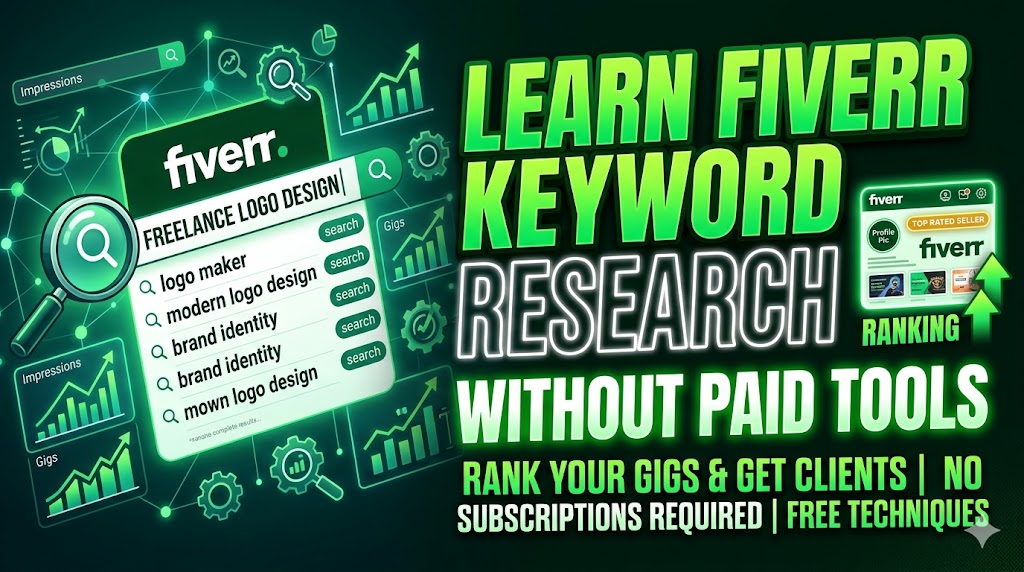
Open Fiverr in an incognito browser window. This matters; incognito mode removes personalization and shows you the raw, unfiltered autocomplete results that all buyers see.
Start typing your service into the search bar. Don’t hit Enter. Just stop and look at the dropdown suggestions that appear.
Every single suggestion in that list is a real search query typed by a real Fiverr buyer. Fiverr’s autocomplete pulls from actual search data, not estimates.
Here are what to look for: Prioritize phrases that are 3–4 words long. These are called long-tail keywords.
They have less competition than single-word terms, and they describe more specific buyer needs, which means the people searching them are closer to placing an order.
Here is the pitfall to avoid: Don’t do this research while logged in. Fiverr’s personalization algorithm adjusts autocomplete based on your past behavior, which skews the results away from what the average buyer actually sees.
After building your keyword list from autocomplete, it’s time to validate and expand it using competitor research.
Search for your core service on Fiverr. Look at the top 5 gigs on the first page of results. These are the gigs Fiverr has decided to rank highest; begin to study them closely.
After doing this for 5 gigs, look for patterns. If, for instance, “minimalist logo design” appears in 4 out of 5 titles, that’s a strong signal that the term has real search demand. Add it to your list.
The pitfall to avoid: Don’t copy a competitor’s title word for word. Fiverr’s algorithm detects near-duplicate gig titles and reduces their search visibility. Use the research as inspiration, not a template.

Google can help you with Fiverr keyword research, even though it’s a completely different platform.
Go to Google and type “Fiverr [your service]” in the search bar. Watch the autocomplete suggestions. These suggestions reflect what people are Googling about Fiverr services, and they often reveal niche angles and buyer language that Fiverr’s own search bar doesn’t surface.
For example, typing “fiverr logo design” in Google might suggest: “fiverr logo design for small business,” “fiverr logo design reviews,” or “fiverr logo design for restaurants.” Each of those is a potential keyword angle for your gig.
Aside from that, use Google Trends to check whether your keyword is growing or shrinking in popularity.
Search for your main keyword on Google Trends and switch the platform to “All Categories” with a 12-month timeframe. A rising trend line means increasing buyer demand, a useful signal for niche selection.
Fiverr has a section called Buyer Requests where buyers post their project needs directly. It’s one of the most underused keyword research sources on the platform.
Browse Buyer Requests in your category and read the exact language buyers use to describe what they need.
This is unfiltered, natural buyer language, without SEO spin, professional jargon, just what they actually want.
Take note of recurring phrases. If five different buyers all describe needing “a clean, simple logo for my food truck,” you now know that “food truck logo design” is a keyword with real, active demand in your niche.
This is a free addition to your process, not a replacement for the methods above.
Ask ChatGPT to generate related keyword variations for your service. Use a prompt like: “What are 20 different ways a small business owner might search for a logo designer on a freelance platform?”
You’ll get a broad cluster of related terms and angles you might not have thought of.
The important limitation worth mentioning is that ChatGPT does not have access to Fiverr’s live search data.
Use its output as a brainstorming layer, then cross-check every suggestion against Fiverr’s own autocomplete before adding it to your gig. If Fiverr doesn’t autocomplete it, buyers probably aren’t searching it.
Finding good keywords is only half the job. Placing them correctly is what actually gets your gig ranked.
Your gig title is the most important placement. It carries the highest keyword weight in Fiverr’s algorithm. Use your primary keyword naturally in the title (max 80 characters); don’t stuff it awkwardly.
A proven title formula is: “I will [action verb] [specific deliverable] for [use case or audience].” Keep the title between 60 and 80 characters, and put your most important keyword in the first 40 characters (this is what appears in mobile search snippets).
Your five tags are your secondary keyword placements. Ensure that each tag targets a different search phrase; never repeat your title keywords as tags.
If your title already says “minimalist logo design,” make your tags cover related but different terms like “startup branding,” “brand identity design,” or “modern business logo.”
Think of each tag as opening a separate door for buyers to find you.
Your gig description should include your primary keyword in the first two sentences. After that, use related terms naturally throughout the text.
Write for the buyer first, the algorithm second. If your description sounds like a keyword list when you read it out loud, rewrite it. Fiverr’s 2026 algorithm penalizes keyword stuffing the same way Google does.
You can’t see real search volume numbers. Unlike Google Keyword Planner, Fiverr does not publicly display how many times any search term is looked up per month.
The autocomplete method gives you a directional signal, not hard data. You’re making educated guesses, not reading a dashboard.
Fiverr’s built-in keyword tool is locked behind a paywall. Fiverr does have an official keyword research tool that shows search volume, competition level, and conversion rate.
But it’s only available to Seller Plus subscribers, which costs money. Everything in this guide gets you to approximately 70–80% of that insight without paying.
Keyword research expires. Buyer behavior on Fiverr shifts with trends, seasons, and AI-related changes in demand.
A keyword that ranked your gig six months ago might be less effective now. Re-run your autocomplete research every 90 days and update your tags when the results look different from what you currently have.
New gigs can’t win on broad keywords. If you’re brand new to Fiverr, targeting “logo design” as your primary keyword is almost certain to fail. Yeah, that’s the plain, or maybe let’s say hard truth.
That term is dominated by sellers with hundreds or thousands of completed orders.
Your keyword strategy as a new seller should focus entirely on specific, long-tail phrases where established sellers haven’t saturated the search results yet.
Fiverr keyword research doesn’t require a paid subscription or a professional SEO tool. The combination of Fiverr autocompletes, competitor tag analysis, Google autocomplete, and Buyer Requests gives you a complete, free research process that mirrors what experienced sellers do every day.
The method works. The limitation is that it takes manual effort and requires you to update it regularly. Just think of it as an ongoing part of managing your gig, not a one-time task you do at setup and forget.
If you’re a new seller, start with Method 1 (Fiverr autocomplete) and Method 2 (competitor analysis).
Those two alone will give you better keywords than 80% of gigs currently live on the platform. Add the other methods as you get more comfortable with how Fiverr’s search system works.
The sellers who get found are the ones who think like buyers. Use these tools to find out exactly how your buyers think, then speak their language in every word of your gig.

Fiverr keyword research is the process of finding the exact words and phrases that buyers type into Fiverr’s search bar when they’re looking for a freelance service. It matters because Fiverr works like a search engine; your gig only appears in results if its title, tags, and description match what buyers are searching. If your keywords don’t match buyer language, even a high-quality gig with excellent work samples will get little to no visibility. Getting your keywords right is the single most impactful thing a new seller can do to start generating impressions and orders on the platform.
The most effective free method is Fiverr’s own search bar. Open Fiverr in an incognito browser window, type your service into the search bar, and observe the autocomplete suggestions without hitting Enter. Every suggestion is a real buyer search query pulled from Fiverr’s actual search data.
From there, study the titles and tags of the top 5 ranking gigs in your category to see what keywords successful sellers are already using. You can supplement this with Google autocomplete (searching “fiverr [your service]”) and by browsing Fiverr’s Buyer Requests section for natural buyer language. Together, these four free methods give you a solid keyword strategy without spending a dollar.
There are three places where keywords matter on a Fiverr gig. Your gig title carries the most algorithmic weight — put your primary keyword here, ideally within the first 40 characters. Your five gig tags function as secondary keyword placements and should each target a different search phrase that your title doesn’t already cover. Your gig description should include your primary keyword naturally in the opening two sentences, with related terms woven throughout the rest of the text. Avoid repeating the same keyword more than two or three times in the description; Fiverr’s algorithm treats keyword stuffing as a negative signal and can reduce your gig’s visibility as a result.
On Fiverr, the terms are related but describe different things. Keywords are the broader concept — any word or phrase relevant to your service that buyers might search. Tags are the specific keyword field Fiverr gives you on your gig setup page — you get five tags per gig, and each one should be a targeted keyword phrase. The distinction matters because your tags and title work together, but should not repeat each other. Your title should contain your most important keyword, while your five tags should cover five different related search phrases that expand the number of search queries your gig can appear in. Think of your title as the front door and your tags as five side entrances to your gig.
You should revisit your Fiverr keyword research approximately every 90 days. Buyer search behavior on Fiverr shifts over time due to trends, seasonal demand, and changes in how AI tools are affecting which services are in demand. A keyword that was generating strong impressions six months ago may have been overtaken by newer or more specific search phrases. The practical routine is to re-run your Fiverr autocomplete research, compare the new suggestions to your current title and tags, and update any tags that no longer reflect current buyer language. You should also re-run your research immediately after any noticeable drop in gig impressions, since algorithm updates can shift keyword relevance quickly.