Physical Address
304 North Cardinal St.
Dorchester Center, MA 02124
Physical Address
304 North Cardinal St.
Dorchester Center, MA 02124


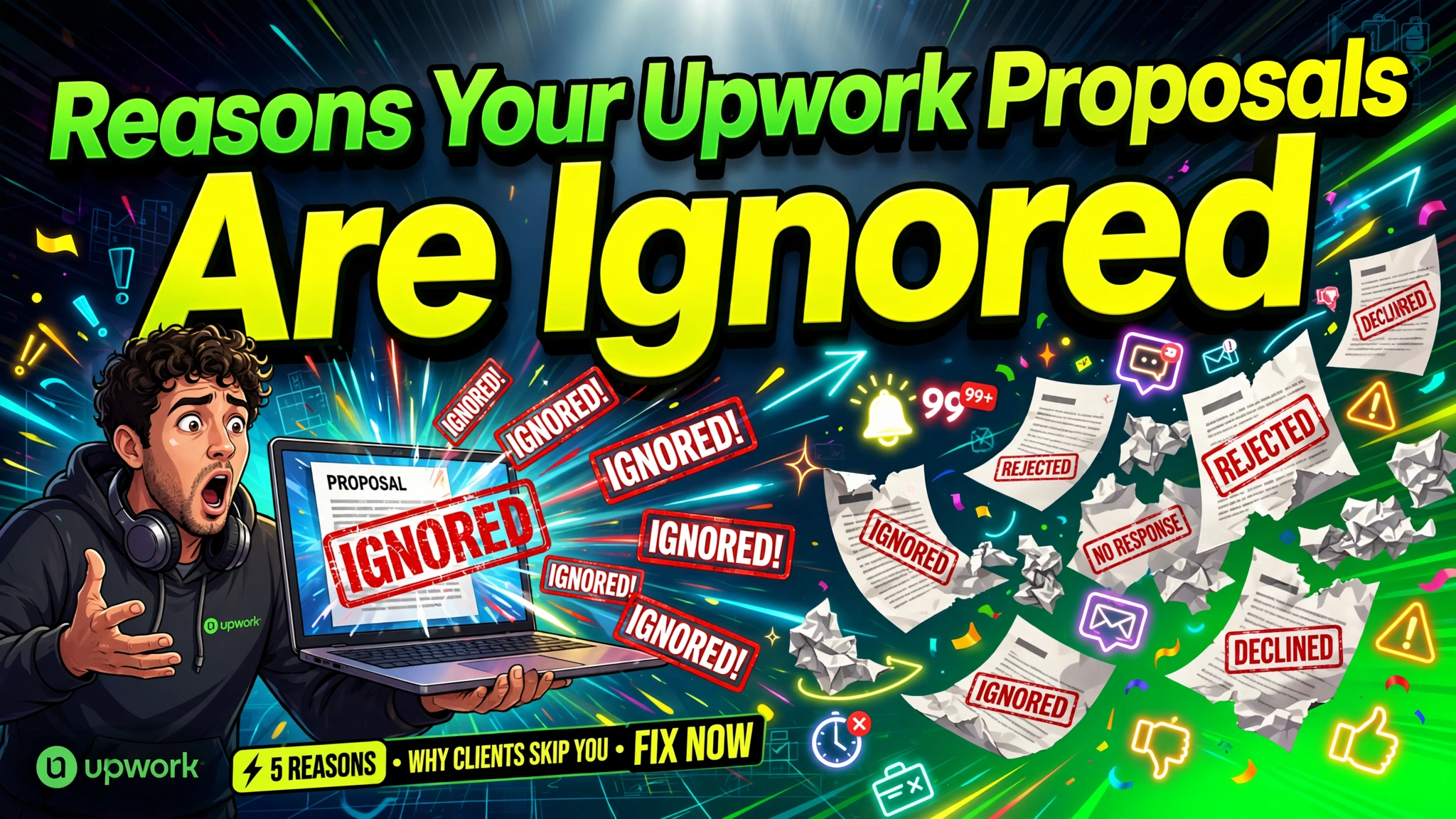
My first three weeks on Upwork will forever remain fresh in my memory, even when I am in a hurry. I still cringe thinking about it to date.
That was precisely in 2019. I spent two hours writing what I thought was a masterpiece for my Upwork proposals.
I even included a bulleted list of my entire college transcript. The client never even opened it. It was humiliating. That was how I ended up blowing 15 Connects on that proposal.
That bitter experience was the moment I realized my Upwork proposals were garbage. I was in my third week on the platform, with zero jobs under my belt, and I had sent out my 20th copy-pasted cover letter.
It was a masterpiece, actually, if you consider a generic wall of text about my “passion for excellence” a masterpiece.
The worst part was that I was actually qualified for the work. But I had no idea that the way I was writing my Upwork proposals was practically screaming “delete me.”
If my experience sounds painfully familiar to you, you’re not alone, and you’re definitely not bad at your job.
Most freelancers who struggle with Upwork proposals aren’t lacking skill; they’re making small, fixable mistakes that quietly send their proposal straight to the “ignore” pile.
If you are a freelancer, virtual assistant, web developer, or copywriter who feels like you’re throwing your Connects into a black hole, this post is for you. Let’s talk about why your Upwork proposals get ignored and, more importantly, how to write one that actually gets you hired.
Before we get into the fixes, it helps to understand what’s actually happening on the other side of the screen. Clients on Upwork are often buried.
A single job post can get 20, 50, sometimes over 100 proposals within a few hours. That means your proposal isn’t being read; it’s being skimmed, judged, and sorted in about five seconds.
That’s not meant to scare you. It’s meant to explain why so many well-meaning Upwork proposals go nowhere.
The good news is that once you understand how clients actually review proposals, you can write yours to survive that five-second skim and earn a real read.
Most clients don’t read proposals top to bottom the first time through. They open the list, glance at the first two lines of each proposal, and mentally sort people into “maybe” and “no.”
Only the “maybe” pile gets a full read later. This is why your first two sentences matter more than your entire third paragraph.
Clients are usually asking themselves three quiet questions as they skim: Does this person understand what I need? Have they done this before? Will they be easy to work with?
Winning proposals answer all three without the freelancer ever having to say “I’m a great communicator.”
Myth #1: You need to be cheap to win. That’s not true. Cheap proposals actually attract the worst clients or get ignored because they look desperate.
Myth #2: You need a long proposal to show more effort. That idea is wrong too. Keep it short, punchy, and relevant.
Myth #3: You need a perfect profile before applying. Wrong. You just need a good proposal.
Myth #: You need a fancy Introduction to get instant attention: You don’t need a fancy introduction to attract attention. You need clarity.
As you can see, none of that is really true. Clients respond to relevance and clarity, not length or price alone.
They don’t want a list of your skills; they want proof you can solve their specific problem. They want you to make it easy for them to say “yes,” and we’ll prove that as we go.
Do you know how frustrating it feels when you’re scrolling through emails and you instantly delete the ones that start with “Dear Sir/Madam”?
That’s exactly what clients do to proposals that start with “Hi, my name is [Name], and I am a freelancer…”
Here’s an uncomfortable truth you need to know from today: most clients decide whether to keep reading within your first sentence.
If you open with “Hello, I am a hardworking and dedicated professional,” you’ve already lost them. That line could apply to literally anyone, which means it tells the client nothing.
Instead of introducing yourself first, open by showing the client you understand their exact problem.
Reference something specific from their job post in your very first line. This signals, instantly, that you actually read what they wrote instead of copy-pasting a template into every Upwork proposal you send.
Examples of Strong vs. Weak Upwork Proposal Introductions
Weak proposal: “Hi, I am an experienced virtual assistant looking for new opportunities.”
Strong proposal: If they are looking for a WordPress developer to fix a slow site, start with: “I saw your site is loading slow. I fixed a similar issue last week and cut the load time in half.”
See the difference? One is about you. The other is about them. Clients remember proposals that are about them.
Major Takeaway: Lead with their problem, not your resume.
Hmmm! I was guilty of this as well. I had a “template” that I thought was brilliant. I’d just swap out the name and hit send. It took me only 5 seconds, but it got me zero replies.
For instance, let’s say a client posts a job for a blog writer. Within an hour, they get fifteen almost identical proposals, all starting with “I can help you with your project.”
They start to blur together. Then they land on one that mentions their actual niche, their actual tone of voice, their actual audience, and voila, that one gets a reply.
Clients can spot a copy-pasted Upwork proposal template a mile away, even when you swap out a name or two.
That’s not all. They know you didn’t care enough to read their post if you leave a placeholder in the text or your “experience” doesn’t quite match the job requirement,
This often happens when your Upwork proposal reads flat or doesn’t reference anything specific in their job post.
You don’t need to rewrite the entire proposal from scratch every time. But you absolutely must write a custom opening that mentions a specific detail from their job post.
Keep a strong base structure, but change the first two lines and one middle paragraph to speak directly to that client’s job post.
For example: “I noticed you’re looking for someone to handle customer service for your Shopify store…”
This takes 30 seconds but proves you’re not a bot.
Mention their industry, their goal, or a specific detail they included. This one habit alone can double your reply rate.
A lot of freelancers write proposals like a resume: “I have five years of experience in X. I am skilled in Y. I have worked with Z clients.”
That’s all about you. But clients aren’t hiring a list of skills; they’re hiring a solution to a specific headache.
Put in another way, clients don’t hire you because you need money; they hire you because they have a headache. Maybe their website is broken, their inbox is overflowing, or they have too much work.
Read the job post twice. The first time, read it for the task. The second time, read it for the underlying frustration.
When reading, look for words like “need help with,” “struggling to,” or “looking for someone to manage.” That is the client screaming their pain point at you.
Aside from that point, if a client writes “looking for someone reliable who won’t ghost me,” that tells you they’ve been burned before. Speak to that fear directly, and you’ll stand out immediately.
Instead of saying “I am organized,” say “I can clear out your inbox and implement a system to keep it organized.” You aren’t just a “Virtual Assistant”; you are a “Problem Solver” who makes their life easier. A great Upwork proposal sample shows a solution, not just a resume.
Rather than saying “I’m skilled in WordPress,” say “I can have your site’s broken checkout page fixed within 48 hours, based on similar fixes I’ve done before.”
You aren’t just a “website designer or developer”; you are a “Problem Solver” who makes their life easier. A great Upwork proposal sample shows a solution, not just a resume.
Saying “I’m great at this” means nothing to a stranger on the internet. Clients aren’t looking for confidence; they’re looking for evidence.
Without some form of proof, even a well-written proposal can feel like an empty promise.
If you’re new and don’t have client work yet, use practice projects, personal projects, or relevant past work from outside Upwork, a blog you ran, a spreadsheet you built for a friend’s business, or a mock design.
Frame it honestly, but show it. Proof doesn’t have to come from a paid client to count.
It doesn’t have to be a massive corporate project. It just has to be a result you actually got.
A single line like “Here’s a similar landing page I built that increased sign-ups by 22%” does more work than three paragraphs of self-praise.
If you don’t have numbers yet, describe the specific outcome instead: what changed for the person you helped.
When I first started, I thought I needed to write a novel to prove my worth. I was wrong. Clients are busy; they don’t have time to read a 1,000-word essay.
A proposal that reads like a novel gets abandoned halfway through, especially on mobile, where a lot of clients are scanning proposals between meetings.
Aim for about 200–250 words. That’s usually about 3 to 4 short paragraphs.
That’s enough space to show relevance and proof without overwhelming a busy client. If you find yourself writing more than that, you’re probably repeating yourself or listing too many skills instead of focusing on the one that matters most for this job.
Using this structure can help you learn how to write an Upwork proposal that covers all the essentials without overwhelming the client.
Just keep it tight. Clients skim; make it easy for them.
“I look forward to hearing from you.”
Ugh. This is the most passive, boring way to end a proposal. You are essentially saying, “I’m just going to leave this here and hope for the best.”
You don’t need to beg for a response. You only need to ask a question that forces them to think about the project. This helps you get hired on Upwork by starting a conversation.
A simple, low-pressure question works far better than “Please hire me!”
Something like “Would it help if I sent over a quick outline before we hop on a call?” gives the client something specific and easy to say yes to.
Try ending with a question tied directly to their project, not a generic sign-off. Instead of the boring “Let me know,” try:
This invites a reply. It opens the door to a conversation.
This was also a massive mistake I made early on. I was so desperate to get the first job that I applied for everything, even projects I wasn’t really qualified for, or that looked like scams.
Sometimes, the proposal isn’t the problem at all. If you’re applying to jobs that are a poor fit, wrong skill level, unclear scope, red-flag clients, even a perfect Upwork proposal won’t get a reply, because the client was never going to hire someone like you in the first place.
Look for clients with a solid history on the platform. Check their “Job Success Score” and “past hires,” (if they have one), and read their past reviews. Are they fair to freelancers and do they communicate well?
These signals usually mean a serious client who’s ready to hire, not just browsing.
Just skip if the job description is vague, if it promises to pay $5 for a website that takes 100 hours, or if the client has zero history, no clients, no payment verification, and a brand-new account.
It’s usually not worth the Connects. Spend time optimizing your Upwork profile and searching for the right opportunities.
Applying to fewer, better-matched jobs almost always beats applying to everything you see.
Let’s get practical because seeing a real structure in action makes all of this click faster than any explanation.
Here are a few templates you can use to start structuring your own proposals.
Subject: Let’s fix [Client Problem]
Hey [The Client’s Name],
I saw you need help with [Client Problem]. I am passionate about this area and am a quick learner.
I know you might be wary of hiring a new freelancer, but I have a strong work ethic and a reliable internet connection. To make you feel comfortable, I’m willing to start with a small test task to prove my skills.
Do you have any specific deadlines I should be aware of?
Best,
[Your Name]
Subject: Increasing your conversion rate
Hi [The Client’s Name],
I noticed you need help organizing your inbox and scheduling client calls. That’s exactly the kind of daily chaos I love sorting out. I recently helped a small business owner cut their email response time in half using a simple folder and template system.
I’d approach your project the same way, starting with a quick audit of your current setup.
Could we schedule a quick 5-minute chat to discuss your goals?
Thanks,
[Your Name]
Avoid these like the plague:
Avoid restating the job post word for word, avoid generic flattery like “great opportunity,” and avoid sending the exact same proposal to ten different jobs.
These habits are some of the most common Upwork proposal mistakes, and clients notice them fast.
Once you’ve fixed the seven reasons above, a few ongoing habits will keep your reply rate strong over time.
Here is a quick checklist to follow every time you write a proposal.
Your profile is your foundation. If they like your proposal, they will click on your profile.
Make sure your Upwork profile optimization matches the story your proposal is telling. Get a professional photo, write a compelling headline, and make sure your “Overview” section actually speaks to your ideal client and tells the client how you can help them.
What keywords did the client use in their job description? Use those in your proposal. If they said “Virtual Assistant,” use that. Don’t call yourself an “Executive Assistant” if they asked for a VA.
The trick is to think about why the client posted this job in the first place, not just what task they listed.
For instance, someone hiring a “content writer” might really be trying to solve a traffic problem or a trust problem.
Speak to that underlying goal, and your Upwork proposal strategy will naturally feel more relevant than most.
Keep a simple log of which proposals get replies and which don’t. Over time, patterns show up; certain openings, certain job types, certain client industries.
This turns guesswork into a repeatable system for landing clients on Upwork.
If you’re sending proposals often, a proposal-writing tool built for freelancers can help here too. A good one won’t replace your voice, but it can speed up personalization, catch weak openings, and help you build a reusable, editable structure instead of starting from a blank page every time.
The freelancers who improve their reply rate fastest usually aren’t the ones writing more proposals; they’re the ones refining a system, and a template tool just makes that refinement quicker.
It’s not a shortcut to skip the work above; it’s a way to apply it consistently without burning an hour on every single proposal.
While this post is mostly for freelancers, it helps to understand the client’s perspective too, since it shapes how clients behave when reviewing your Upwork proposal.
Clients choose Upwork specifically because it offers payment protection, visible work history, and verified reviews — all things that reduce their risk.
When your proposal reinforces that same sense of safety and reliability, you’re speaking the client’s language. Plus, it removes the risk of hiring a random person from the internet.
From the client’s perspective, they look for the proposal that shows the most understanding of their project, clear communication, a relevant portfolio, clarity of approach, not just the lowest price.
They look for confidence, for the person who makes them feel like they can finally get that project off their to-do list.
Keeping this in mind while writing helps you naturally hit the points that matter most to them.
Listen, writing great Upwork proposals does not have to be a painful, humiliating experience. It’s about empathy. It’s about understanding that on the other side of that screen is a busy, stressed-out client who just wants their problem to go away.
When you shift your mindset from “I need this job” to “I can help you solve this problem,” everything changes.
Don’t copy and paste. Don’t be boring. Start with their problem, show them you can fix it, and ask a smart question.
Stop sending proposals that look like a robot wrote them.
Start writing them like you’re talking to a friend over coffee. Now go out there and win some projects.
Let us answer some of the most common questions people have about this process.
Somewhere between 150 and 250 words is usually the sweet spot — long enough to show relevance and proof, short enough to get fully read.
Quality beats quantity. Five well-tailored proposals to strong-fit jobs will usually outperform twenty generic ones sent to anything that pops up.
This is often tied to timing, an unoptimized profile, or applying to jobs with too much competition. Applying within the first hour of a post going live and targeting less crowded job categories can help.
Yes. Beginners who focus on personalization, proof through practice work, and applying to well-matched jobs often outperform more experienced freelancers who send generic, copy-pasted proposals.
AI can help you draft faster and avoid a blank page, but it works best as a starting point you personalize, not a final answer you paste in as-is. Clients can usually tell when a proposal wasn’t written with their specific job in mind.