Physical Address
304 North Cardinal St.
Dorchester Center, MA 02124
Physical Address
304 North Cardinal St.
Dorchester Center, MA 02124
I used to just guess which platform to use and ended up burning cash on expensive cloud plans I didn’t need. It was really a costly lesson for my new business then.
But the real shocker came when I also wasted way too many weekends trying to fix a self-hosted server that kept crashing.
If you ever think you’ve heard it all, hang on for a shocker.
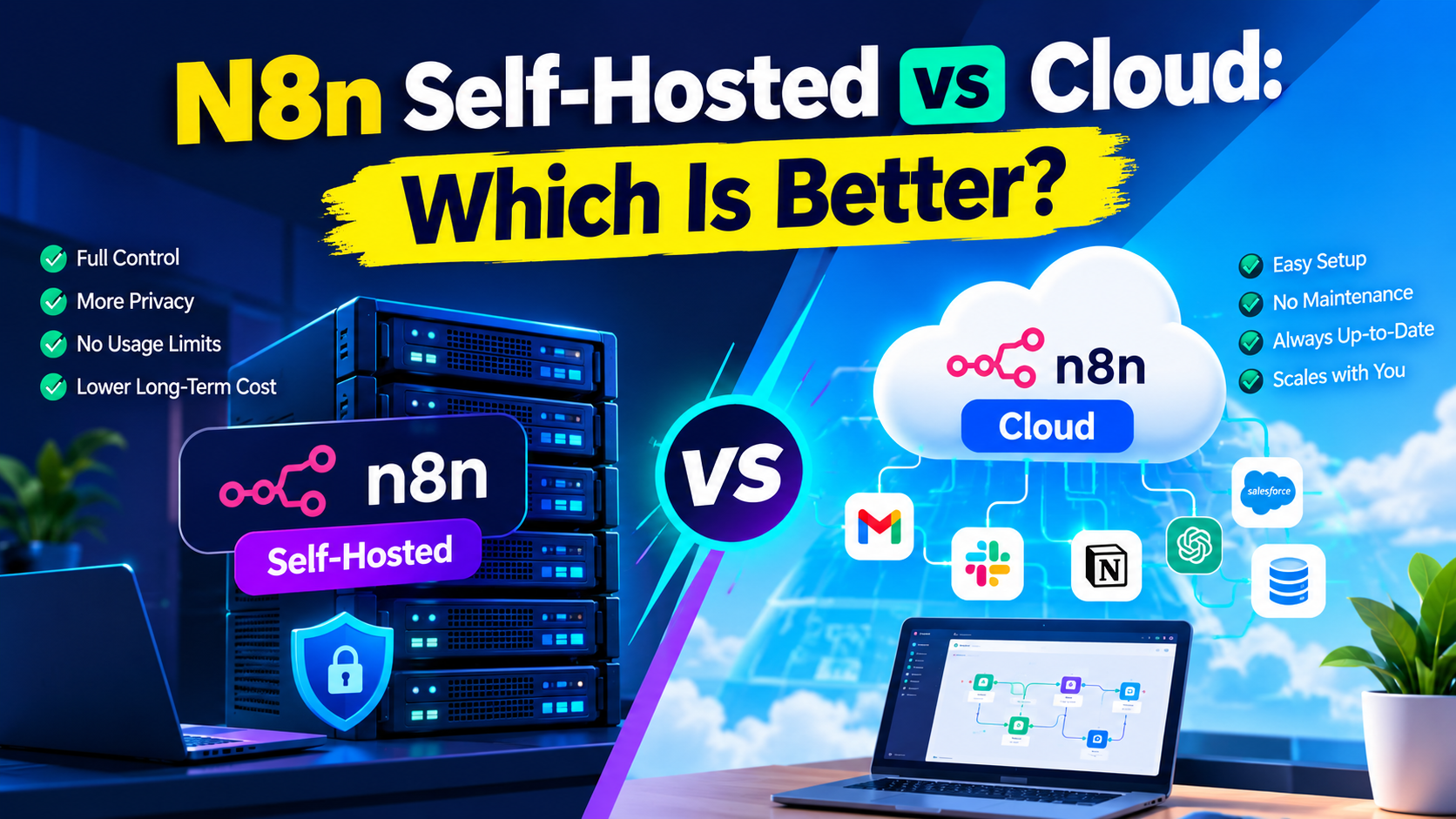
The deciding factor between the n8n self-hosted vs. Cloud debate comes down to one thing: your time.
I mean how much of your time (or your team’s time) you’re willing to spend babysitting the system versus just letting it run.
Everything else- price, privacy, power- flows from that. Get this right, and the rest of the choice gets a lot clearer.
So, the question now is: do you have more time or more money?
This is the detail most people overlook when deciding, or you, in person, you’ve probably never considered: the “free” option isn’t always cheaper if it costs you 20 hours of setup time.
Yeah, you read that right. It’s really not.
Let’s break down the n8n self-hosted vs. cloud confusion so you can stop guessing and start automating your business right away.
n8n is a workflow automation tool that connects your apps and moves data between them. I want you to think of it as the glue for your business processes.
On the other hand, self-hosted means you run the software on your own server or virtual machine instead of letting n8n’s company host it for you.
You simply have to install it once, usually with Docker, and then you own the whole thing. Your workflows live on hardware you control. No middleman sits between your data and your automations.
Disclosure: This post contains an affiliate link. If you choose to buy through it, we may earn a little commission with no extra cost to you.
For a business, n8n self-hosted means full ownership. Your customer data, order details, and internal processes never leave the server you choose.
You’re not sharing space with other companies on n8n’s cloud. That matters if you care about data privacy and data residency.
It also means you decide when to update, how much power to give it, and where the machine lives.
In this case, you’re the one in the driver’s seat. But you’re also the one who has to keep the car running.
You’ve got options here, and none of them are exotic
You can put it on an old computer in your closet (don’t do that, seriously), or better yet, on cheap VPS providers like Hetzner, DigitalOcean, AWS, or Google Cloud. Plenty of people run it on a $5–$15 a month box.
You can also use your own office server, a private cloud, or even a managed platform that handles the server for you while still giving you a self-hosted instance.
The beauty is that it’s super flexible. Whether you choose a cheap Droplet or a heavy-duty AWS setup, the choice is yours.
For some, Docker is the most common route. n8n Docker installation is well documented and works on almost any Linux machine.
Some folks use Kubernetes for bigger setups, but most small businesses don’t need that level of complexity.
At the bare minimum, you need a server, Docker installed (an n8n Docker installation is the easiest path for most people), a domain if you want a proper URL, and someone who isn’t scared of a terminal window.
That last part is the real dealbreaker for a lot of business owners.
Your needs don’t end at that. You also need a server with at least 2 GB of RAM (4 GB is safer for real work), some storage, and basic comfort with the command line or Docker.
A domain name helps if you want a clean URL. You’ll also want a way to handle SSL, so connections stay secure.
The n8n free self-hosted Community Edition covers almost everything most people need. You don’t need a credit card or a monthly fee for the software itself. Just the cost of the machine it runs on.
Still on this, self-hosted isn’t plug-and-play. You’ll need to set up SSL certificates so it’s secure (HTTPS) and configure a database like PostgreSQL so your workflows don’t disappear if the server restarts.
We’ve gotten to the part almost nobody explains clearly, so let’s slow down here.
To start with, this is the heart of the n8n self-hosted vs Cloud question. One is DIY. The other is managed. Night and day in daily life.
n8n self-hosted vs Cloud comes down to who owns the infrastructure. Self-hosted means you run everything on your own server, for free, using the Community Edition.
n8n Cloud means n8n hosts it for you on their servers, and you pay a monthly fee based on how many workflow executions you use.
Thus, when n8n hosts it for you on their servers in the Cloud, you sign up, pick a plan, pay a monthly fee, and start building based on how many workflow executions you use.
n8n then handles the servers, the updates, the backups, and the uptime.
With it, you get execution limits based on your plan; starter around 2,500 executions a month, Pro is around 10,000, and higher tiers go further.
Self-hosted has no execution limits. Your only limit is the power of the server. Cloud is simpler to start. Self-hosted gives you more room to grow without bumping into monthly caps.
Before I continue to talk about who should manage your n8n server, if you’re new to n8n, I did put together a blog post giving you a complete guide to n8n automation and when it’s the perfect tool for your business and when it’s not.
On n8n Cloud, n8n handles all of it; automatic updates, backups, security patches, and uptime are all built in. Security patches arrive without you lifting a finger.
That’s the whole pitch.
On self-hosted n8n, that job is yours because you own every piece. n8n automatic backups and updates simply aren’t automatic anymore once you’re self-hosting; you have to set that up yourself.
Besides, on self-hosted, you update the Docker image, set up backups, watch the logs, and even handle security. That’s the trade-off. Meaning, more freedom, more responsibility.
Self-hosted wins here, hands down. You can install custom nodes, tweak environment variables, connect to private networks, and run it behind your own firewall.
If control is your top need, n8n self-hosting benefits start looking very attractive.
Cloud keeps things locked down for safety and simplicity. You can’t dig as deep.
Cloud is simpler but keeps you locked down into their rules for safety and simplicity. This is the detail most people overlook until they hit a wall.
This is really where things get even stranger; the “free” option isn’t always the cheapest, and the paid option isn’t always the most expensive one. Let’s do the real math, so you understand what I mean by the above assertion.
The answer is simple: yes and no. The n8n free self-hosted Community Edition itself costs nothing. It comes with unlimited workflows and unlimited executions. You also don’t have to pay a license fee; there are no execution limits, comes without workflow caps.
But “free software” and “free to run” aren’t the same sentence. You still need a server. And that’s where you’ve got to fuck out money and pay for the hosting.
A basic VPS runs $4–$15 a month for most small setups. Add a bit more if you want managed PostgreSQL or automatic backups.
Just factor in your time, or let’s say, the cost of hiring someone for updates and monitoring. That “free” software can quietly cost more than you first think once you value your hours.
Every hour you spend fixing a server is an hour you aren’t spending on growing your business.
Almost always, yes. n8n Cloud pricing currently starts around $24 a month for the Starter plan (roughly 2,500 executions), climbing to around $50–60 a month for Pro, and jumping sharply from there for higher tiers.
Compare that to $5-ish a month self-hosted with unlimited n8n self-hosted execution limits, and the bang for your buck is night and day. That’s if you’re comfortable managing a server.
Once you pass 10,000 executions regularly, self-hosted on a modest VPS usually wins on pure cash outlay.
But if you have zero technical skill and value your time, Cloud can feel cheaper because you never touch the server.
Expect to pay for a domain, SSL Certificates (usually free with Let’s Encrypt), monitoring tools, backup storage, maybe a static IP address, and maybe a better database later.
Also worth taking into consideration is that as your storage grows with execution history, plan for occasional upgrades when your workflows get heavier. n8n VPS hosting stays predictable if you start small and scale as needed.
And here’s where things take a surprising turn. These “small” costs can easily double your initial budget if you aren’t tracking them.
Just when you think the self-hosting case couldn’t get any stronger, here’s the part that seals it for a lot of technical teams.
There’re plenty of good reasons people go this route.
Completely. This is the single biggest reason privacy-conscious businesses choose self-hosting. n8n data privacy and data residency become entirely your decision; your data never leaves your server unless you send it somewhere.
Put simply, your data stays where you put it. It’s suitable for privacy rules, client contracts, or just peace of mind. n8n security self-hosted vs Cloud tilts toward self-hosted when data residency is
It can big time. Because there are no n8n self-hosted execution limits, running 100,000 workflow executions a month costs the same $5-ish server bill as running 500.
On n8n Cloud, that same volume would push you into an expensive tier fast.
This is another yes. You can install community nodes, connect internal-only tools, and tweak environment variables that n8n Cloud simply won’t let you touch.
For developers and agencies building advanced workflows, this is often the deciding factor.
Here’s the twist that changes everything for a lot of non-technical readers, so don’t skip this part, because it’s the honest part. It’s not all roses.
Yes. You’ll need to understand Docker or at least follow clear guides. Server management, ports, reverse proxies. These aren’t beginner toys. n8n maintenance requirements sit on your shoulders.
You’re responsible for all of it. Comparing n8n security self-hosted vs. cloud, self-hosting hands you full responsibility for patching vulnerabilities and keeping backups current. Skip an update, and you’re the one exposed to known bugs or security holes.
And what if you skip backups and later notice a disk failure? It can result in wiping months of work. However, cloud removes that worry.
Many things can go wrong when you self-host n8n. Some of the obvious ones are server outages, misconfigured firewalls, database bloat, forgotten SSL renewals, and certificates expiring.
Aside from all this, your disk space can fill up at the worst possible moment. The point is that none of this is common, but when it happens, there’s no support ticket to file; you’re the support team.
That’s not all; one bad Docker update can take everything offline until you fix it. I’ve seen people lose an entire weekend to a simple config mistake.
Honestly, for many, yes. If you’re a solopreneur or small-business owner who just wants the automations to run, the learning curve and ongoing maintenance can be a distraction.
That’s when you’ve got to start looking for smart n8n self-hosted experts to hire.
Context decides the winner, because this is the part that could directly impact which option fits you, so let’s get specific instead of vague.
Only if someone on the team (or a cheap contractor) can handle the technical side. Otherwise, Cloud keeps you focused on the business rather than the infrastructure.
The best n8n hosting option for small businesses often starts as Cloud until volume or privacy needs force a switch.
The bitter truth is that you need to focus on growing your revenue, rather than fixing server configurations.
It depends on your n8n scalability for business needs. If you’re hitting Cloud limits and have a technical team, self-hosting becomes attractive.
But if you’re still a lean team, stick with Cloud. Do you know why? Cloud is fine while the volume stays moderate and the team stays light on ops skills.
It makes sense when you’ve strict compliance rules, like HIPAA. GDPR. It equally makes sense when you need SSO, environments, Git version control, and total data control.
Enterprises have the IT staff with enterprise licenses to unlock those features on their own hardware.
Enterprises with dedicated DevOps staff usually self-host without giving it a second thought.
Agencies often prefer self-hosted so they can spin up client instances, keep data separate, and avoid shared execution limits.
Some use Cloud for quick client demos and self-hosted for the real ongoing work.
But the real question is: what happens if you get stuck halfway through setup?
You don’t have to do it alone.
Yes, you can. But it’s risky. Some can even do it by following the official Docker guides, while many struggle and end up frustrated.
So, if you’ve never touched a VPS, expect a learning curve because if you mistakenly input one wrong command, you’ll find yourself starting over from scratch.
It’s like trying to fix your own car engine without a manual.
This question is a no-brainer.
You’ve got to consider hiring a Self-Hosting Expert when the setup feels bigger than a weekend project, you need production-grade uptime, custom security hardening, or you simply don’t have hours to spare troubleshooting a broken container at midnight.
Hiring early can save more time than it costs. You don’t have to allow the penny-wise, pound-foolish business mindset to cost your business revenue.
This aspect of this article is very critical and must be taken seriously.
Simply look for someone who’s actually deployed n8n before (not just “familiar with Docker”), can explain backup strategy in plain English, understands security basics and workflow optimization, and won’t disappear after the initial setup.
In addition, avoid the temptation of hiring an n8n installation expert you feel is the cheapest option on a freelance site. You want someone who understands business logic, not just code.
Lest I skip this all-important point: Ask for samples of past n8n work related to your project and avoid pure theorists.
On a freelance platform like Fiverr, expect a one-time setup fee anywhere from $150 to $500 depending on complexity, or an ongoing monthly retainer if you want them managing updates and monitoring long-term.
Compare that against the hours you’d burn figuring it out yourself.
We’re just about at the finish line, and here’s where it all comes together. It’s now the time to decide.
If you have tech skills, a strict data policy, and high execution volumes, self-hosted n8n is the smarter long-term bet.
Also, pick self-hosted when you want your data to stay private, you know your execution volume will climb, or when you want custom nodes and deep tweaks.
Accept the maintenance trade-off because it gives you the power to build without limits.
Pick Cloud if you just want to log in, build workflows today, and never think about servers anymore.
It remains the perfect choice if your technical time is scarce and your volume fits the plan limits. If you think deeply, n8n Cloud is worth every dollar of that convenience premium.
There’s no universal winner in the n8n self-hosted vs. Cloud debate
The best n8n hosting option for your business is the one that matches your real constraints: time, money, privacy needs, and technical comfort.
For many small teams, the smartest move is starting on Cloud to learn the tool, then moving to self-hosted once the value is clear and the volume justifies it.
Others jump straight to a managed self-hosted setup so they get unlimited runs without full DIY pain.
And if you ask my candid opinion on this. The best option is the one that lets you sleep at night. For most business owners who can afford it, the obvious choice is the Cloud.
Here’s my take. I’ve run both, and I’m not going to pretend one is objectively “better” for everybody; that would be sheer dishonesty.
But if you’re technical enough to handle an n8n Docker installation and you want the best bang for your buck long-term, self-hosting is where I’d point you first.
If that sounds like too much hassle, go grab n8n Cloud’s free trial, poke around for a couple of weeks, and see how the executions actually add up for your workflows before you pick a plan.
You don’t have to overthink it forever. Pick the option that removes the most stress for your situation today. You can always switch later. The real win is getting your automations running so your business moves faster.
Yes. The n8n self-hosted Community Edition is free software with no license fee and no execution limits. You only pay for the server it runs on, typically $4 to $7 a month.
In almost every case, yes. Self-hosting costs a few dollars a month for server hosting with unlimited executions, while n8n Cloud pricing starts around $24 a month and rises as your execution volume grows.
You’re responsible for your own updates, security patches, and backups. There’s also a learning curve around Docker and server management, and no dedicated support team to call when something breaks.
Basic comfort with command lines and Docker helps a lot. It’s not overly complicated, but it isn’t beginner-friendly drag-and-drop either; some technical willingness is required.
Choose self-hosted if you want full control, lower long-term costs, and have some technical capacity. Choose n8n Cloud if you’d rather pay a bit more for zero maintenance and guaranteed uptime.