Physical Address
304 North Cardinal St.
Dorchester Center, MA 02124
Physical Address
304 North Cardinal St.
Dorchester Center, MA 02124
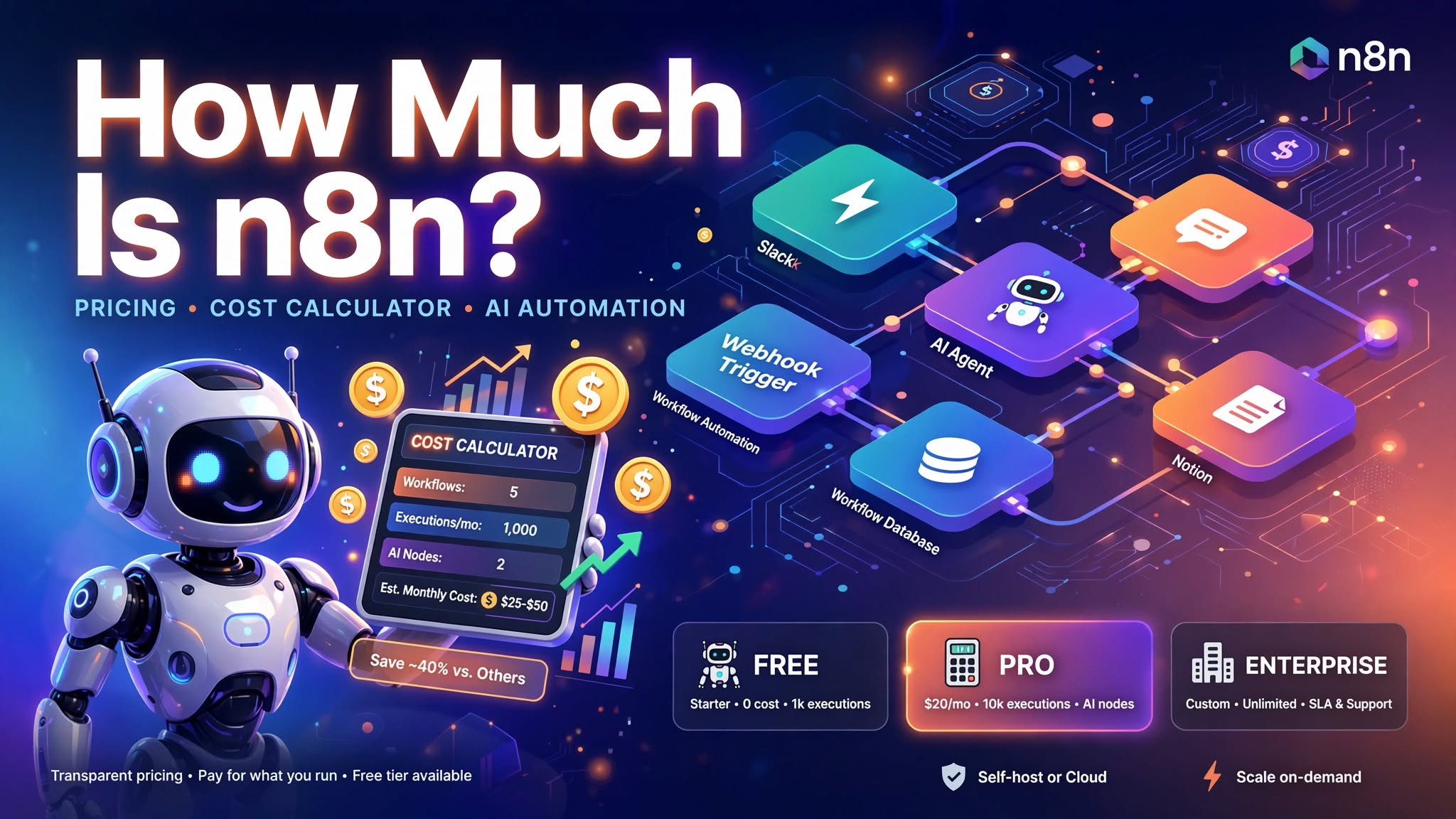
I remember the exact moment I tried to find out the actual n8n pricing to see if it was worth buying. I opened five tabs, read three conflicting blog posts, and still had no clue what I’d actually pay each month.
Here’s the thing nobody often tells you upfront: n8n pricing isn’t one number. It’s a mix of free software, paid Cloud plans, server bills, and a few sneaky extra costs that show up after you’ve already committed.
Between you and me, that confusion is exactly why so many business owners assume n8n is either “totally free” or “way too expensive,” even though it’s open-source, when the real answer sits somewhere in the middle, depending on how you use it.
The reality is that the pricing page is confusing, with different plans for cloud and self-hosting. Yet, nobody tells you about the execution limits.
n8n pricing is actually simpler than it looks once you understand how it works. Let me break it down for you in plain English.
Yes, technically. The n8n Community Edition is completely free to download and self-host. You can run it on your own server with unlimited workflows and unlimited executions. The only cost is your server infrastructure.
I wish I knew this sooner. I spent weeks comparing paid plans before realizing I could just self-host for free. The Community Edition gives you everything you need to build powerful automation workflows.
The free version includes:
No hidden fees. No per-user charges. Just free automation software.
Here’s the hidden twist that changes everything. n8n charges based on executions, not users or workflows.
An execution is one complete run of a workflow. Whether your workflow has 5 steps or 500 steps, one run equals one execution. This is different from Zapier, which charges per step (task).
For example, if a workflow runs 100 times in a month, that’s 100 executions. It doesn’t matter how many nodes are in that workflow.
This one fact changes everything about how you calculate costs. A complex workflow with many steps costs the same as a simple one, as long as they run the same number of times.
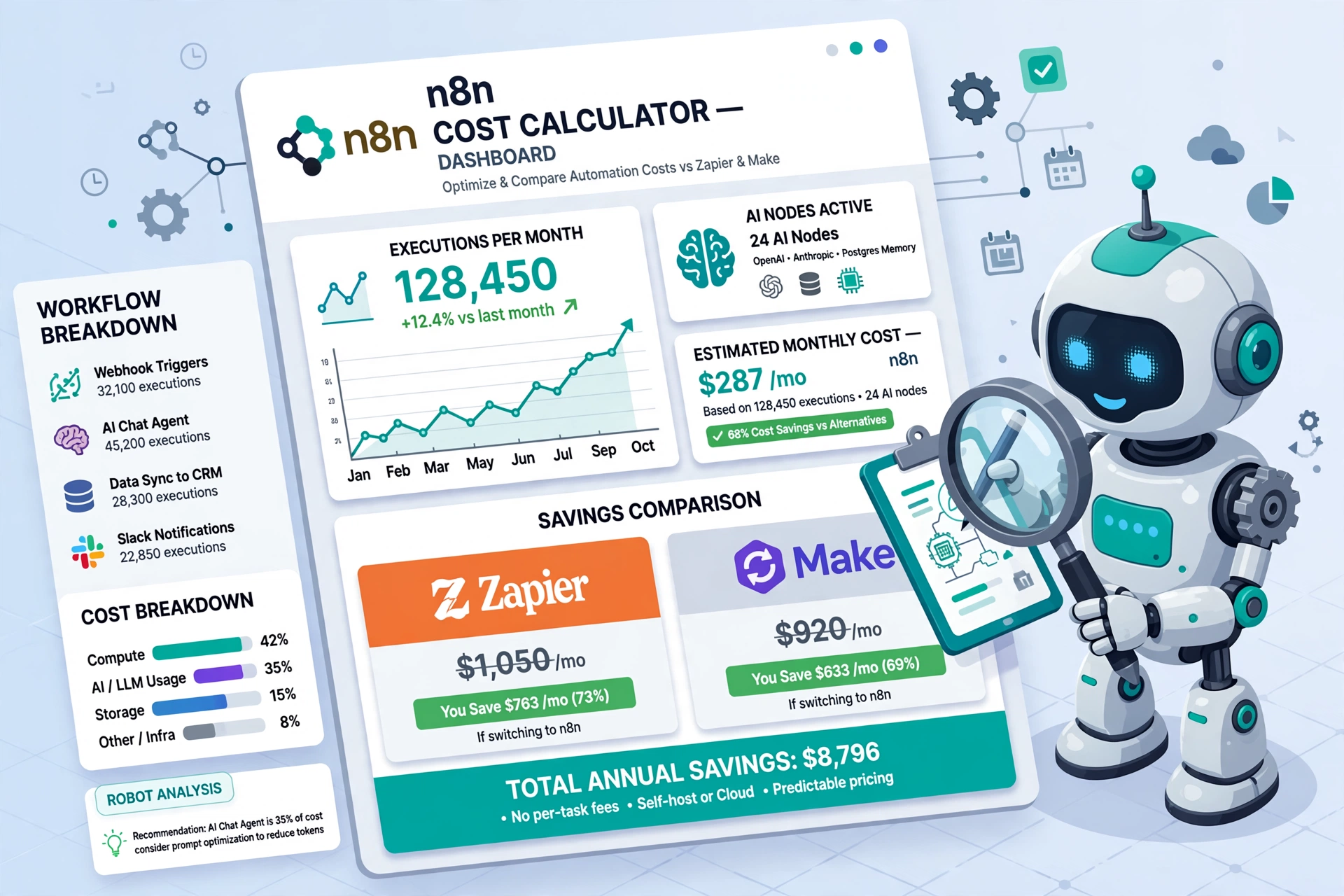
n8n charges based on n8n execution limits, not per user or per individual workflow step. This is a massive relief and a game-changer for growing teams.
You can have your entire staff using the platform without your monthly bill skyrocketing just because you added a new team member.
You don’t pay more when you create more workflows. You only pay for how much your automation runs.
The different n8n pricing plans give you different execution allowances:
Exceed your limit, and you pay for extra executions. This is the detail most people overlook when comparing costs.
Now, this is the part almost nobody explains clearly, so let’s slow down and take the current n8n pricing plan by plan, beginning with
The n8n self-hosted Community Edition costs $0 for the software, and it comes with:
The catch is that you manage everything yourself. Meaning that server setup, security, backups, and updates are all on you.
If you’re comfortable with Docker and Linux, this is the cheapest way to use n8n. Your only cost is the server.
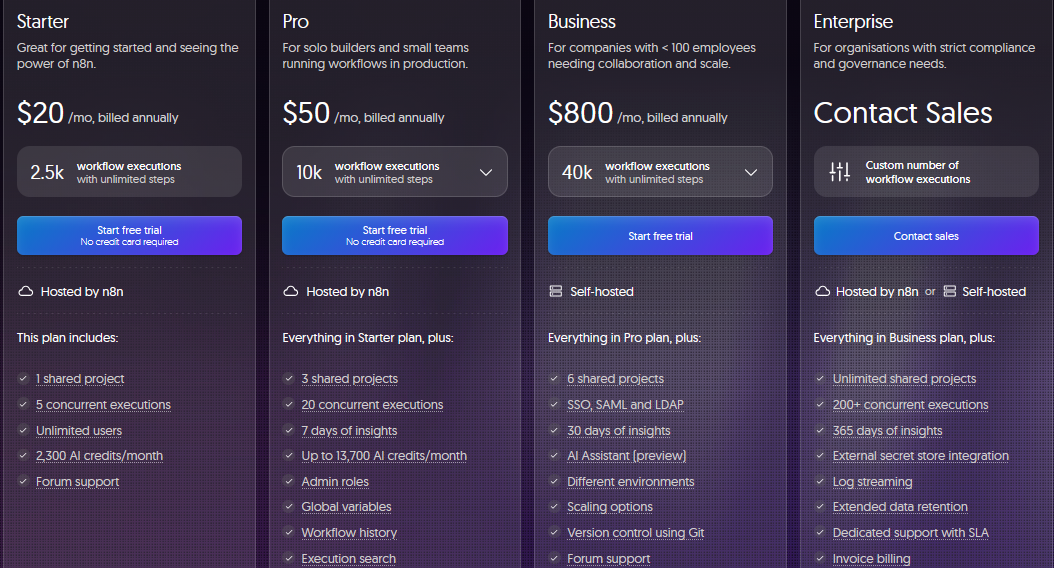
n8n Cloud Starter costs €20 per month (about $24 USD). In it, you get:
n8n Cloud Pro costs €50 per month (about $60 USD). This price package includes:
The Cloud plans are great if you don’t want to think about servers at all. But if you run more than 2,500 executions per month, you’ll need to upgrade or consider self-hosting.
For most small businesses just getting started, either the free self-hosted Community Edition or the n8n Cloud Starter plan makes the most sense.
If you already have someone who can handle a small server, self-hosted wins on pure cost.
But for some small businesses, the n8n Cloud Starter is the sweet spot for real production use without overpaying.
At €20 per month, you get a fully managed automation platform without any infrastructure headaches.
Don’t celebrate yet; let me tell you the hidden side of it. If you run more than 2,500 executions per month, the Starter plan won’t be enough for you.
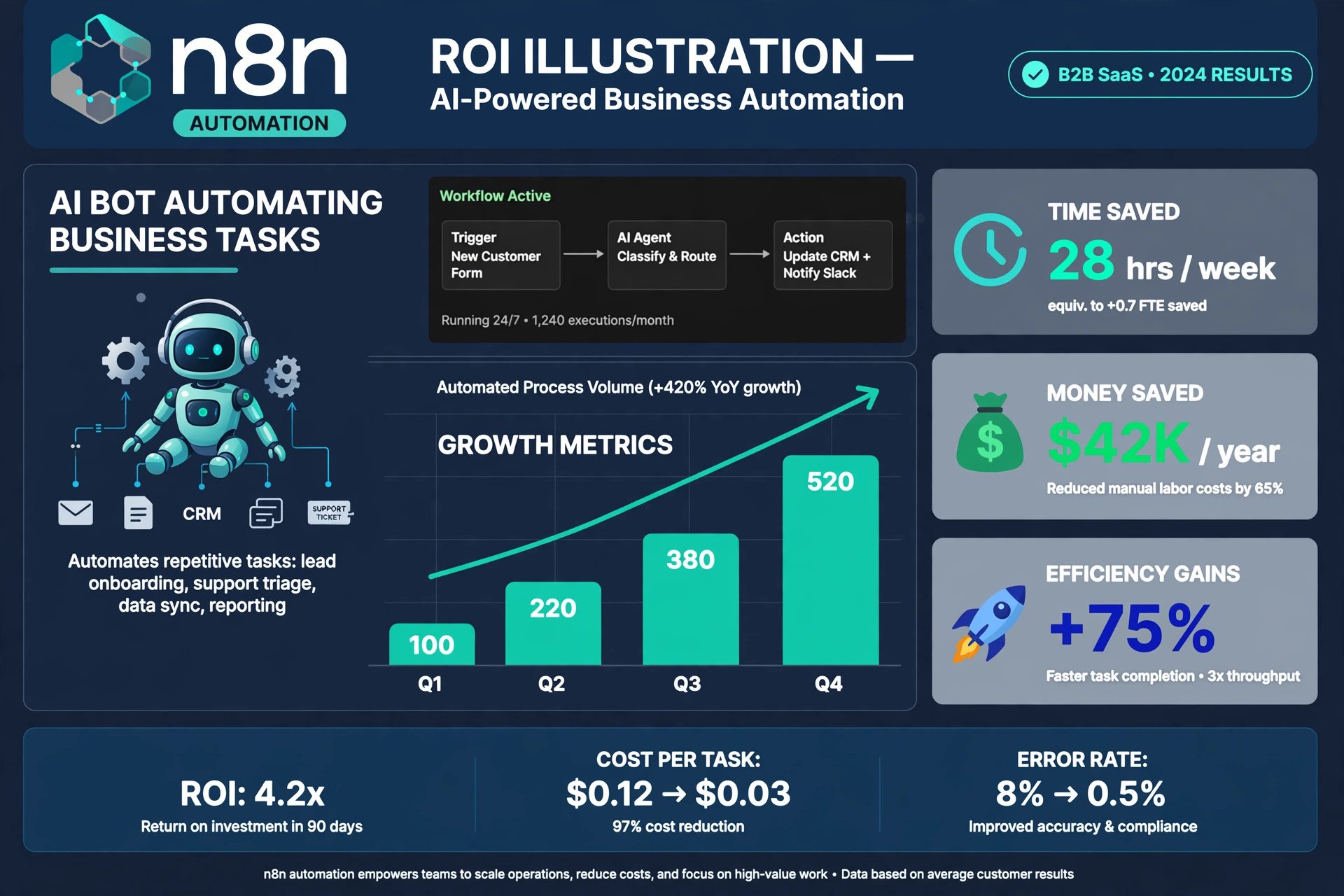
For instance, a simple Slack notification bot that checks messages every few minutes could burn through 2,500 executions in a week.
For a small business running moderate automation, I’d recommend self-hosting on a VPS. The server cost is about $5-$20 per month, and you get unlimited executions. No per-execution limits, no surprise bills.
You Can Also Read: What Is n8n? A Complete Guide to n8n Automation for Business
Larger teams should look at the n8n Business plan or n8n Enterprise pricing. These tiers offer advanced security, single sign-on (SSO), dedicated support, and much higher execution limits.
If you think you’ve heard it all, hang on for a shocker: enterprise plans can be customized to fit your exact volume, often making them cheaper per execution than lower tiers.
n8n Business costs €667/month (about $800 USD) and includes:
n8n Enterprise has custom pricing and includes:
The Business plan is designed for teams that need enterprise features but don’t want to pay the full Enterprise price. There’s also a startup discount—50% off the Business plan for eligible startups under 20 employees.
Just keep reading because this is where things get even stranger. Do you know what? The “free” option and the “paid” option aren’t as far apart as you’d think, until you look at the details as broken down for you below.
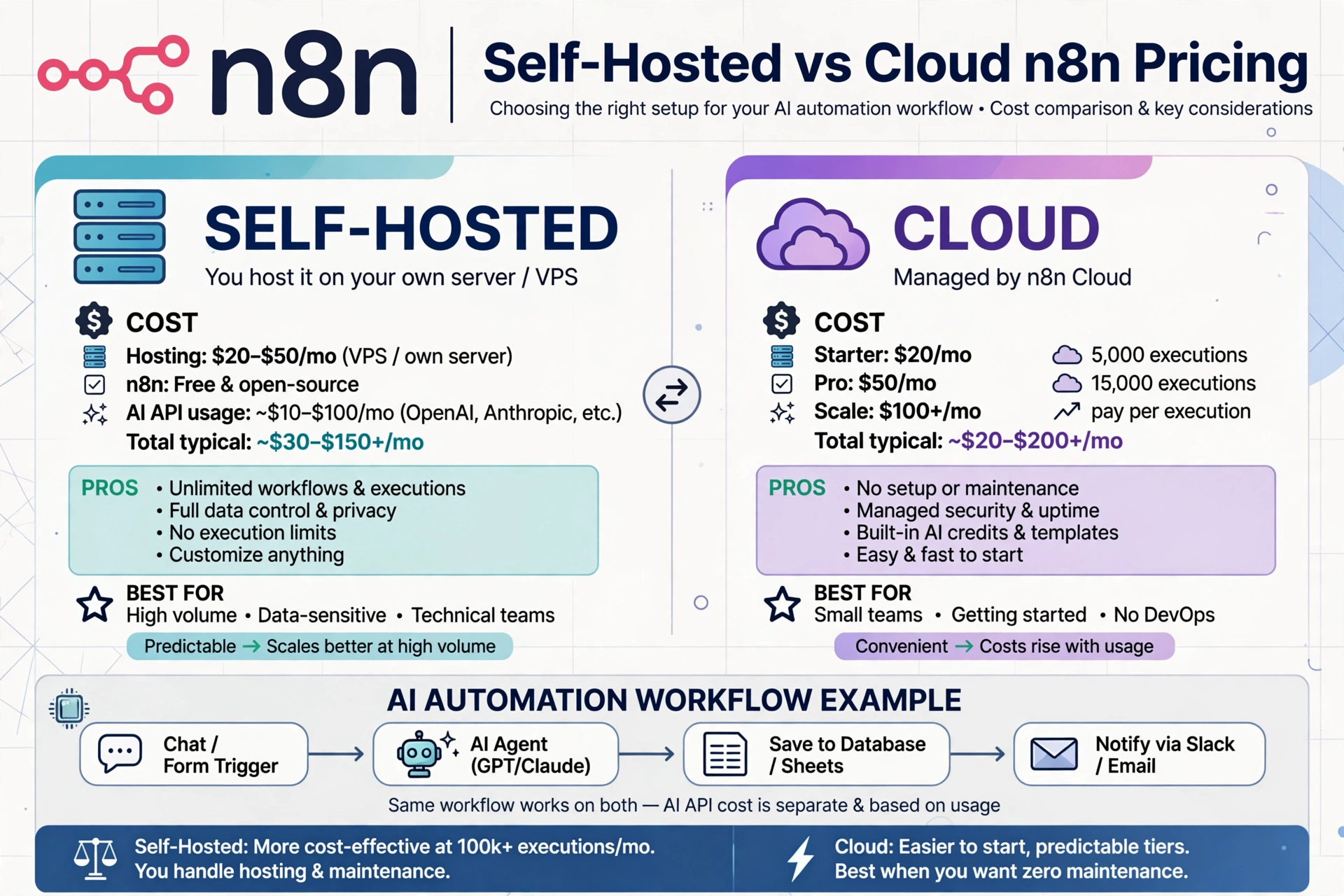
Realistically, n8n self-hosted pricing lands around $4 to $7 a month for a basic VPS. That’s the entire software cost for unlimited executions.
Self-hosting n8n costs $5-$20 per month for the server. Here are the typical costs:
The Community Edition software is free. You just have to pay for the infrastructure.
This is the part almost nobody talks about while discussing n8n pricing. Self-hosting has hidden costs beyond the server bill:
So, if you’re someone like me, who values his time at $50/hour, the “free” self-hosting option actually costs more than the Cloud plan.
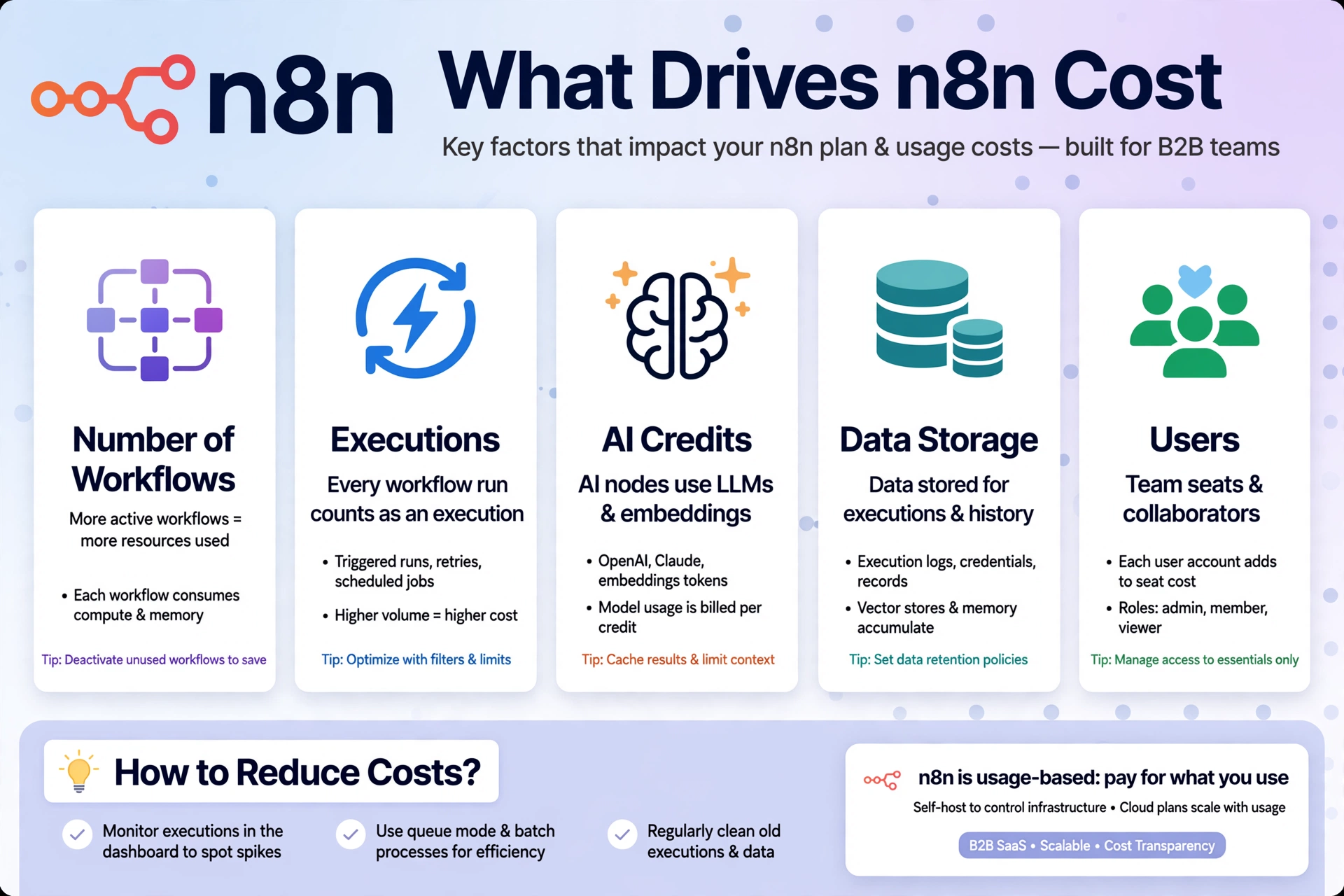
Yes, if you have technical skills. No, if you don’t. Let me explain what I mean by that.
If you’re comfortable with the command line and Docker, self-hosting is absolutely worth it. You get unlimited executions for a flat monthly server cost. For a small business running a lot of automation, this saves hundreds of dollars per month.
If you’re not a technical kind of person, hire an n8n automation expert to set it up or use the Cloud plan. The time you save is worth more than the subscription cost.
Building an n8n workflow doesn’t cost anything in terms of software fees. You just build it using the visual editor.
But building complex workflows takes time. Hence, if you’re doing it yourself, that’s time away from your business. If you hire someone, expect to pay $50-$150 per hour for an automation expert.
The real cost of n8n automation isn’t the subscription in itself; it’s the time you invest in building and maintaining workflows.
Yes. Some costs are outside the n8n subscription:
The n8n self-hosted pricing includes only the software. Everything else is extra.
Maintenance costs depend on your setup:
The uncomfortable truth is this: if you’re self-hosting, budget at least 2 hours per month for self-hosted setups to check on updates and error logs. If your time is valuable, that’s a high cost.
Sometimes the smartest money is spent on help. That real help is coming right now, and it might save you a headache later.
What Is the Average Cost to Hire an n8n Developer or Automation Expert?
Most freelance n8n automation specialists charge somewhere between $30 and $100 an hour, depending on the seller’s experience, the complex nature of the project, location, or time zone.
A one-time workflow build might run $150 to $500, while ongoing management is usually billed as a monthly retainer.
The answer here is very straightforward.
If the automation is simple and low-stakes, building it yourself is a great way to learn. Meanwhile, if it touches customer data, payments, or anything business-critical, hiring it out is usually the smarter call.
Having said that, if a workflow will save you five hours a week, and your time is worth $100 an hour, that workflow saves you $2,000 a month. Paying an expert $500 to build it in one day is a no-brainer. Avoid letting pride and a penny-wise, pound-foolish mentality cost you money.
You’ve to come prepared with a clear list of what you want automated before hiring, use existing templates where you can, and start with one workflow instead of ten at once.
Another good way to reduce the cost of hiring an n8n expert is to consider using managed hosting to reduce the infrastructure complexity.
What you’ve just read is only half the story. Here’s the part that really matters if you want more value and control over your project.
Once you compare n8n pricing side-by-side with the competition, the picture gets a lot clearer.
Usually, yes, especially at scale. Let’s break things down using the comparison for 20 workflows running 500 executions per month:
The simple truth is that, for complex workflows with many steps, n8n is much cheaper because you pay per execution, not per step. A workflow with 5 steps on Zapier costs 5 tasks. On n8n, it’s still 1 execution.
Make is usually cheaper than Zapier and sits in the middle. For very complex or high-volume workflows, self-hosted n8n still wins on pure cost.
On the surface, Make can feel simpler for pure visual builders who never want to touch a server. But it charges per operation, which adds up quickly for multi-step workflows.
For small businesses, n8n self-hosted offers the best value. You get unlimited everything for a flat server cost of $5-$20/month.
For businesses that don’t want to manage servers, n8n Cloud Starter at €20/month is competitive with other platforms.
Compared to Zapier’s $49/month and Make’s various pricing tiers, n8n is consistently more affordable for any business running more than a few hundred automations per month.
Let’s push this idea one step further, because guessing your costs is how most people overspend.
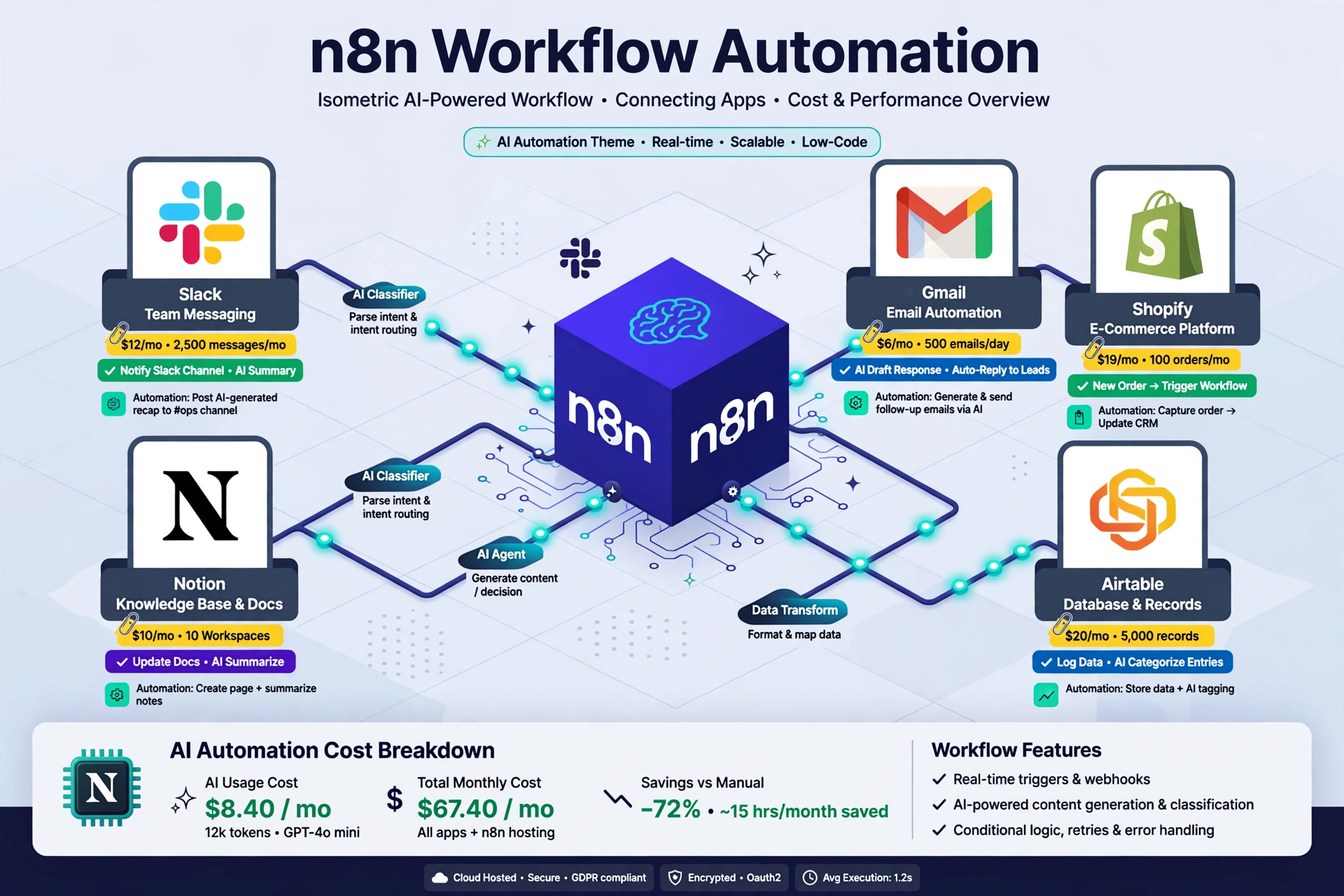
Add up how often your triggers will fire. Count how often each process runs. For example, a form that triggers ten times a day is about 300 executions a month.
Just as a schedule that runs every hour is about 720 executions a month. Add them up. That number decides your Cloud plan or tells you whether self-hosted is the better fit.
So, map this out before picking a plan.
Your budget should include: the n8n subscription (or server cost), any premium third-party app subscriptions, and a one-time or monthly fee for expert setup and maintenance.
Include:
H3: When Does n8n Automation Save More Money Than It Costs?
We’re just scratching the surface of what this tool can do, but here’s the honest bottom line.
The real question is not “how much does it cost” but “how much does it save or earn.”
The beauty of automation that it can pay for itself quickly. Here are real examples that can help:
What about the lead routing, report generation, data syncing, and customer onboarding? They’re all classic examples. The payback can be measured in weeks once the flows are stable.
Usually, businesses with repetitive, multiple disconnected systems, high-volume operations, like lead capture, reporting, and customer follow-ups, tend to see the fastest return on their n8n Cloud pricing or self-hosted investment.
SaaS companies, ecommerce stores, agencies, and operations-heavy businesses benefit the most from n8n automation.
When Is n8n Automation Too Expensive or Complex for a Small Business?
If you’re only automating one tiny task like sending a welcome email and have zero technical comfort, the setup time might cost you more than it’s worth.
In that case, a simpler tool like Zapier might genuinely serve you better.
The best part is waiting until the end here: once you understand n8n pricing properly, it stops feeling like a mystery fee and starts feeling like a tool you’re in control of.
Map out your executions, pick the plan that matches your actual usage, and you’ll spend far less time guessing and far more time automating.
The n8n Community Edition is free to self-host. Paid n8n Cloud pricing plans start at around $20 per month for the Starter plan, scaling up based on your workflow execution needs.
Yes, you can use the free n8n Community Edition for internal business automation. However, if you are building a product that directly competes with n8n or offering n8n as a managed service to clients, you may need a commercial license.
Yes, n8n is almost always cheaper than Zapier for growing businesses. Zapier charges per task (per step), while n8n charges per workflow execution, which saves you significant money on multi-step automations.
Freelance n8n experts typically charge between $50 and $150 per hour. A complete, custom workflow setup usually ranges from $500 to $3,000, depending on complexity.
The cheapest way is to use the free n8n Community Edition on a low-cost virtual private server (VPS) for about $5 to $10 a month, provided you have the technical skills to manage it yourself.