Physical Address
304 North Cardinal St.
Dorchester Center, MA 02124
Physical Address
304 North Cardinal St.
Dorchester Center, MA 02124
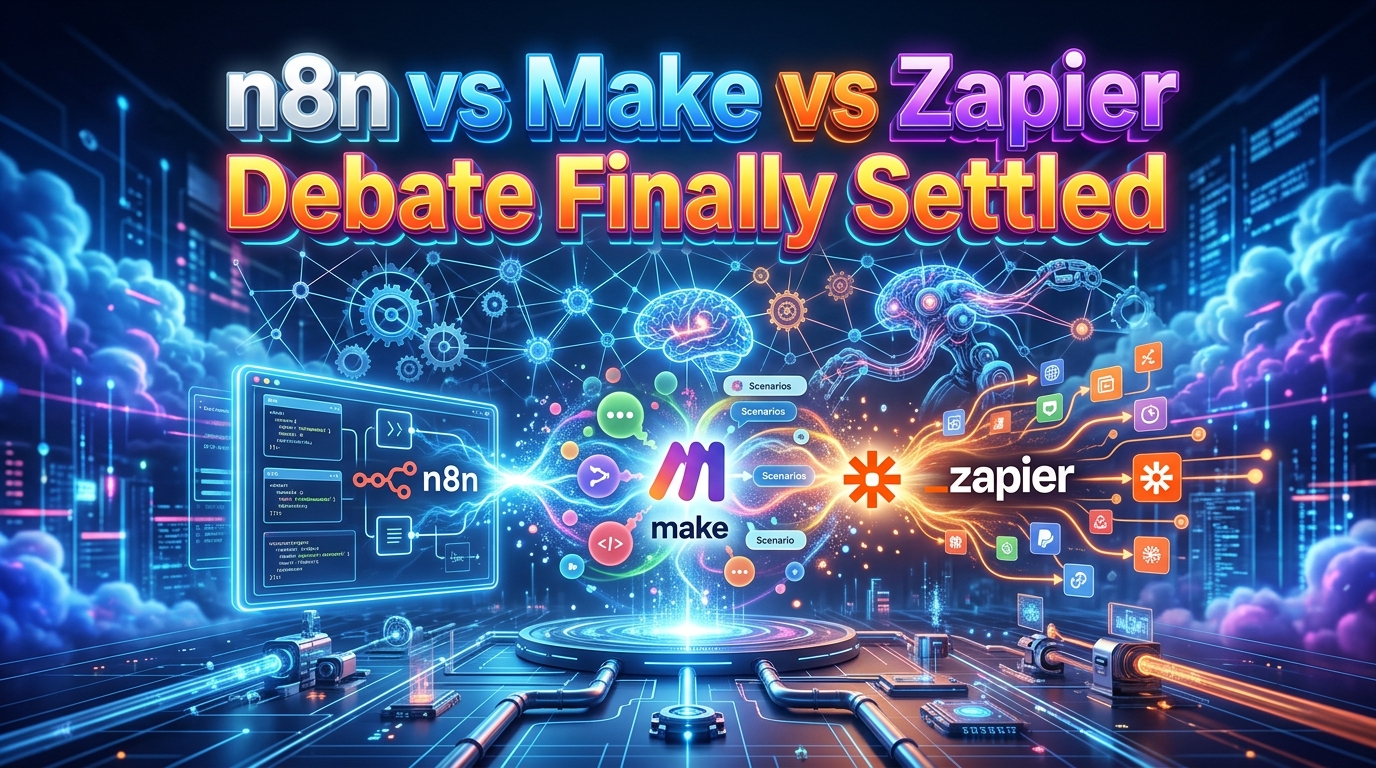
You’ve got three strong automation platforms on the table. Just pick the wrong one, and you could spend months rebuilding workflows, changing your stack, or paying for capacity you don’t actually need.
The n8n vs Make vs Zapier decision isn’t really about which platform has the longest feature list.
It’s more about how technical your team is, how complex your workflows will become, how much control you need, and how you want automation costs to scale.
Choosing between these three is a classic dilemma for automation specialists, RevOps professionals, and startup founders.
For those busy asking “what is n8n,” it’s the developer-friendly, self-hostable powerhouse. Make is the visual, logic-heavy middle ground, while Zapier is the ubiquitous, no-code standard.
We’ve built several workflows across all three for our agency clients, and we’ve seen exactly where each tool shines and where it breaks.
By the end of this comparison, you’ll know when n8n makes more sense, when Make is the better middle ground, when Zapier wins on simplicity, and when none of the three is the right choice.
Here’s the high-level view. The details are coming next, but if you need a fast answer, start here:
All three tools do the same basic job: connect your apps so data moves between them without you copying and pasting.
Past that, they diverge fast in philosophy, pricing, and who they’re actually built for.
Each tool was built for a fundamentally different user and use case.
So, while all three can automate something as simple as “new form submission → add lead to CRM,” they start to diverge when your workflow becomes more complicated.
Let’s break down their core identities so they make more sense to even a layman.
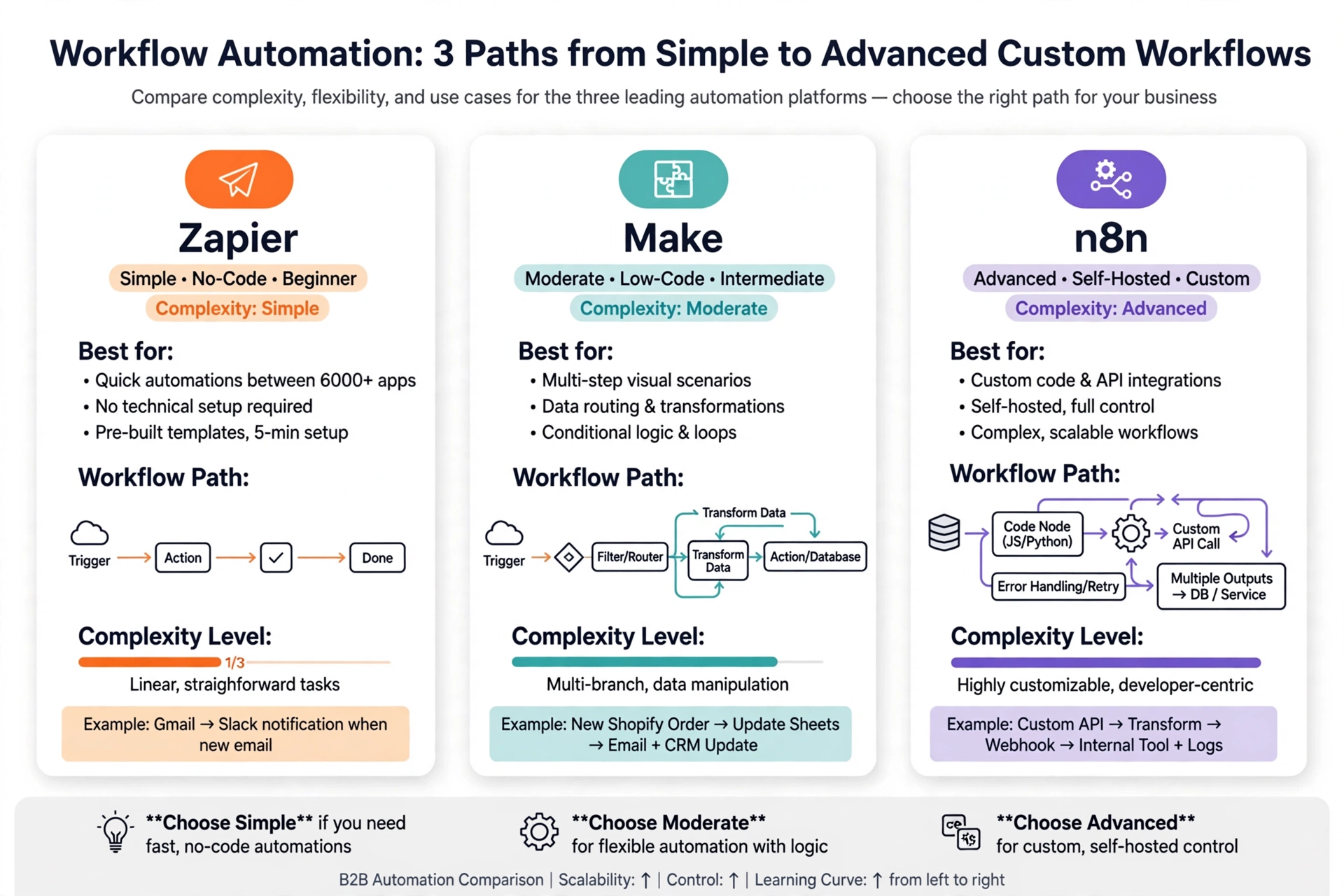
Of the three, n8n is the developer-friendly option and a fair-code workflow automation tool that’s particularly well suited to complex, highly customized workflows where developers or technically comfortable automation specialists want more control.
This means that its visual workflow builder lets you connect applications and services, while its Code node allows JavaScript- and Python-based customization.
n8n also supports webhooks, API requests, branching, loops, data transformation, AI workflows, and other advanced patterns.
Its official feature documentation describes it as a visual orchestration platform that can combine native nodes with custom code.
That makes n8n attractive for AI automation, internal business systems, sophisticated lead-generation workflows, data processing, custom API integrations, and workflows where a pre-built connector isn’t enough.
It also has a strong self-hosting story. If your organization wants greater control over infrastructure or sensitive data, that can be a significant advantage.
The trade-off is that n8n generally demands more technical understanding than Zapier. You can build simple workflows without being a programmer, but its real power becomes apparent when you understand APIs, JSON, expressions, webhooks, data structures, and basic programming.
Now that you’ve got that down, here’s the part that actually separates n8n from the other two: control.
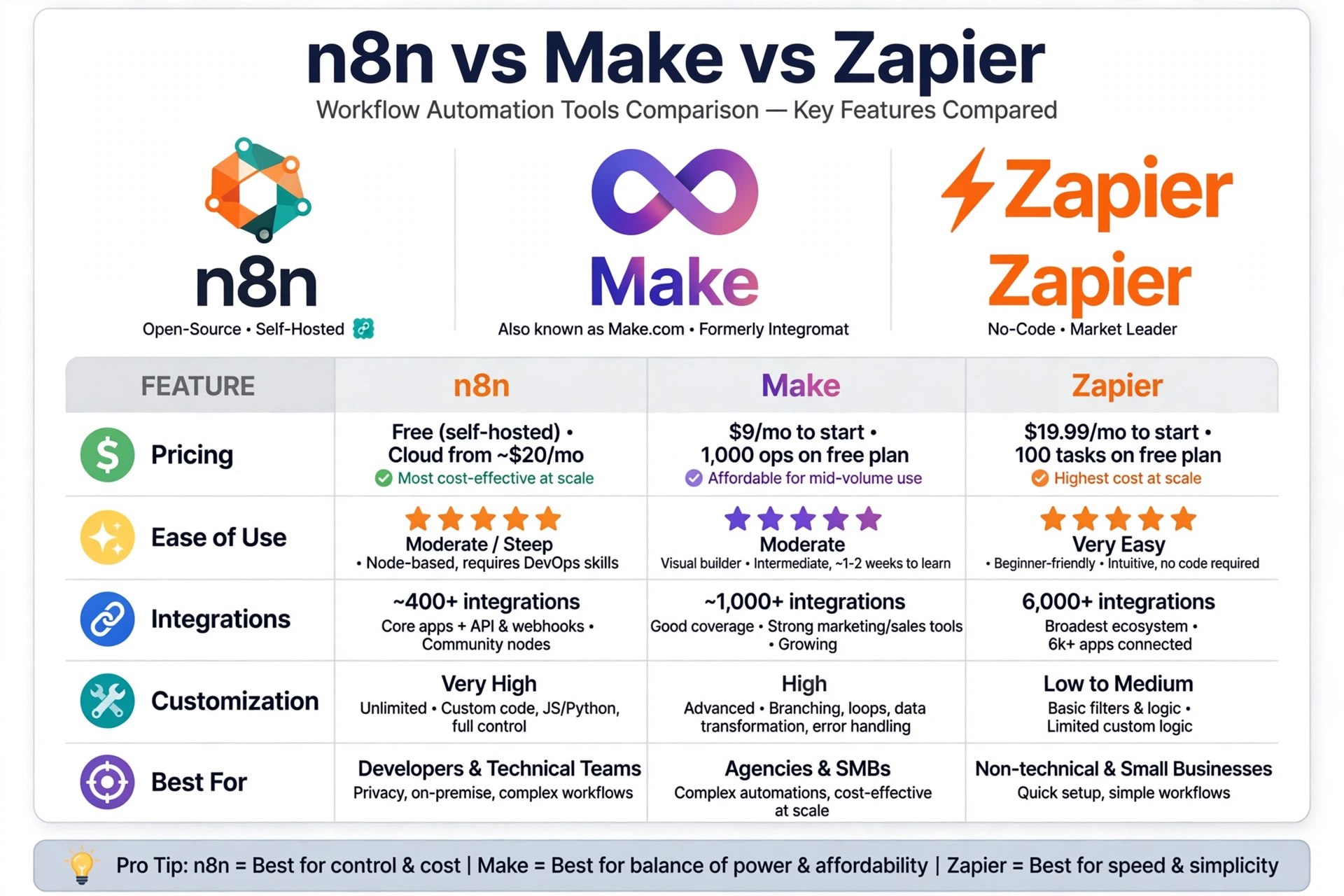
Make sits somewhere between Zapier’s simplicity and n8n’s technical flexibility.
Its biggest strength is the visual scenario builder. Instead of thinking only in terms of a linear trigger-and-action sequence, you can visually construct workflows with routers, filters, multiple paths, transformations, and different actions.
That’s useful when an automation needs to make decisions.
For example, imagine a lead-generation workflow that receives a new lead, checks the lead’s country, verifies whether the company already exists in your CRM, enriches the record, assigns a sales representative, and sends different notifications depending on the result.
Make is very comfortable with this type of visual logic.
The platform currently advertises more than 3,000 app integrations and offers a visual no-code workflow builder, routers, filters, API access, and increasingly extensive AI capabilities.
Make is therefore a strong choice for agencies, marketers, RevOps teams, SaaS companies, small businesses, and automation consultants who want considerable flexibility without necessarily managing their own automation infrastructure.
Its main limitation is that the visual interface can become intimidating as scenarios grow extremely large and complicated.
But there’s a catch most buyers don’t see at first. Its visual flexibility doesn’t automatically mean a workflow will remain easy to maintain once dozens of modules and branches are involved.
Zapier is usually the easiest starting point for people who want to connect applications without learning much about automation architecture.
Its strength is its enormous integration ecosystem and straightforward workflow model.
A typical Zap might look like:
New Typeform submission → create CRM contact → send Slack notification.
That’s easy to understand. It’s equally easy to build. And for many small business automations, that’s exactly what you want.
Zapier now describes its platform as an AI orchestration platform spanning workflows, Tables, Forms, MCP, and other capabilities. Its current documentation says its ecosystem contains more than 9,000 integrations.
That breadth matters.
If the software your business already uses has a mature Zapier integration, you can often get an automation running without dealing with APIs or custom code.
One of Zapier’s downsides is that simplicity can become restrictive when your workflow needs unusually complex logic, custom processing, or deep infrastructure control.
So, which one actually fits your situation? Let’s get specific.
Here’s a simple way to think about it: Zapier is built for someone who’s never automated anything before.
Make is built for someone who’s outgrown “set it and forget it” and wants real logic without learning to code.
And n8n is built for someone who either already codes a little, or has someone on the team who does.
Now that you’ve got that down, here’s the part that actually determines your decision more than any feature list does: how your team is going to use these tools day to day, not just how they’re marketed.
The interesting part is that the ease of use sounds straightforward until you realize that “easy” means different things to different teams.
For a non-technical marketer, easy might mean connecting two apps in five minutes.
For a developer, easy might mean having enough control to solve a complicated problem without fighting the platform.
That’s why the n8n vs Make vs Zapier learning curve deserves more attention than a simple beginner ranking.
If you’re completely new to workflow automation, Zapier is generally the easiest place to start.
Its trigger-to-action model is intuitive, and its massive integration ecosystem means you’re less likely to encounter an unsupported application.
Make is the next step up.
Its visual canvas gives you more freedom, but that freedom introduces concepts such as routers, filters, iterators, aggregators, and more complex data mapping. Once you understand them, they’re powerful. At first, they can feel like a lot.
n8n has the steepest learning curve of the three for many non-technical users.
That’s not because its interface is unusable. It’s simply because n8n exposes more of the underlying mechanics of automation.
Besides, when you start working with APIs, JSON, expressions, webhooks, custom code, databases, or self-hosting, you’re no longer just connecting apps.
You’re designing a system.
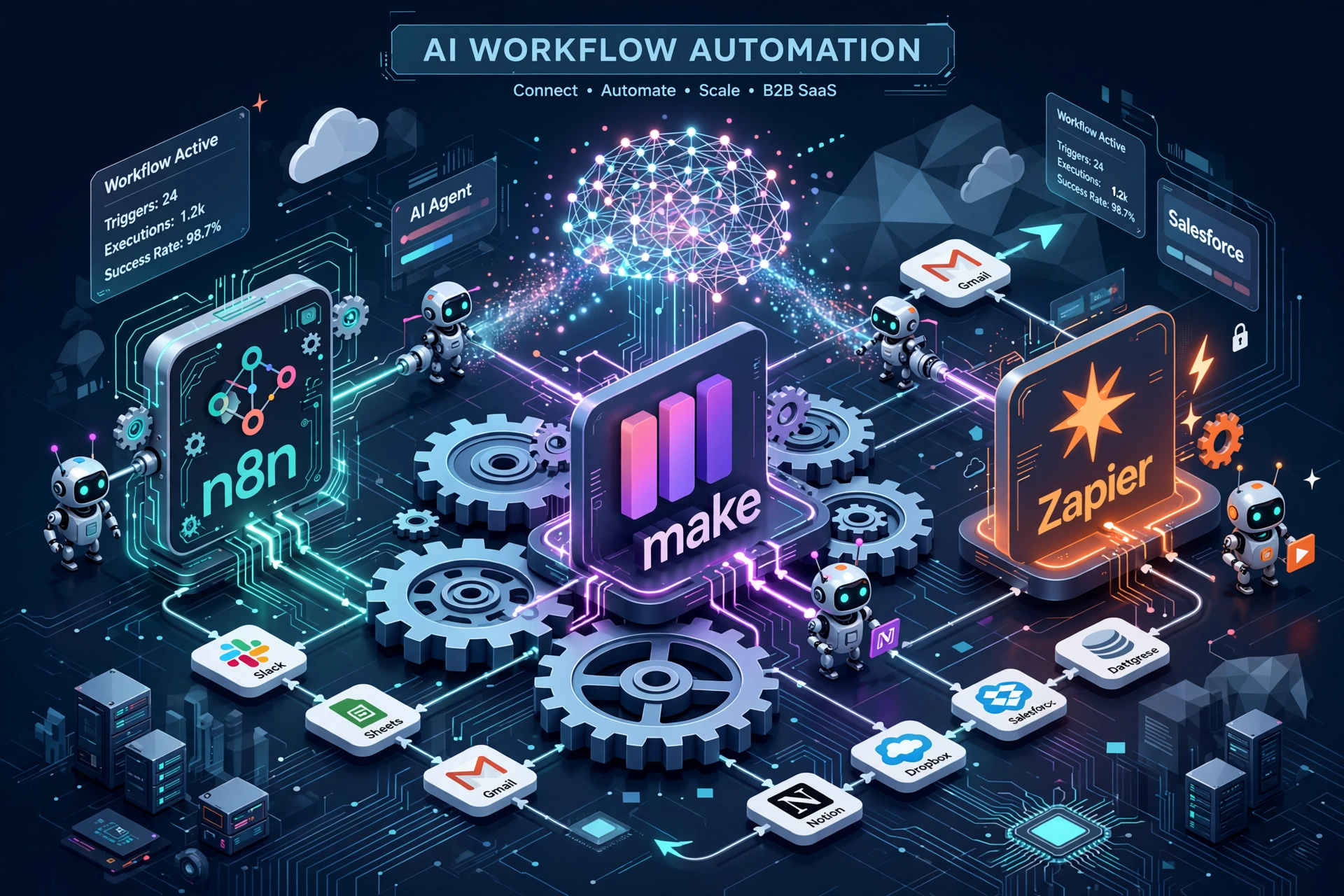
Here’s the practical difference:
| Platform | Learning curve | Best fit |
| Zapier | Lowest | Beginners and non-technical teams |
| Make | Moderate | Visual builders and business automation teams |
| n8n | Moderate to high | Technical users and advanced automation builders |
Make and n8n both use visual canvases, but they encourage more sophisticated workflow design.
Zapier’s strength is that you can often stay at a higher level of abstraction.
For a small business owner who simply wants to automate lead notifications, that’s valuable.
For an automation engineer building an AI-powered lead enrichment system, it may not be enough for the task.
And that’s where the comparison starts getting interesting.
Integrations are one of the first things you should check before choosing an automation platform.
But don’t make the mistake of counting integrations and assuming the platform with the biggest number automatically wins.
It doesn’t work that way.
The quality and flexibility of the integration matter just as much as the number.
For instance, Zapier has an enormous ecosystem, with its current platform documentation stating that it supports more than 9,000 integrations.
On its part, Make.com advertises more than 3,000 app integrations, including verified and community apps.
And what about n8n? Its integration directory currently lists more than 1,900 integrations, while its feature page also emphasizes custom code, HTTP requests, webhooks, and the ability to work with services that aren’t covered by a dedicated integration.
So why might someone choose n8n despite its smaller headline number?
Because integration count isn’t always the whole story.
Zapier wins the numbers game with over 9,000 native integrations, making it a “plug-and-play” champion for popular SaaS apps.
As you can see, it’s difficult to beat when your priority is finding a ready-made connector.
Hence, if you’re using popular SaaS products, there’s a good chance Zapier already has a connector for them.
That’s especially useful for teams that don’t want to think about API authentication, endpoints, request formats, or response handling.
Make takes a more visual approach to data flow.
You can build scenarios that manipulate information between modules, use filters and routers, and work with APIs when a standard app module isn’t enough. Its paid plans also include access to the Make API.
This makes Make particularly attractive when your automation requires more decision-making than a basic Zap, but you don’t necessarily want to manage your own automation infrastructure.
Yes, of course, and this is arguably one of n8n’s biggest structural advantages.
Suppose the application you need doesn’t have a convenient native node.
That doesn’t necessarily stop you.
n8n’s Webhook node can receive data from external services and trigger workflows, while its documentation explains that webhooks can also be used to return workflow-generated data and effectively expose workflow logic as an endpoint.
You can also use custom code for transformations and other logic. n8n’s current documentation specifically highlights JavaScript and Python support in its Code node.
That gives technically capable teams a powerful escape hatch:
Native integration → HTTP/API → webhook → custom code.
If you understand APIs, that’s a major advantage.
If you don’t, Zapier’s ready-made connectors may be much more comfortable for you.
So, which one actually fits your situation?
As in, seriously, this is where the simple “Zapier is easiest” argument stops being enough.
A workflow with two or three actions isn’t difficult on any of these platforms.
The real test is what happens when you introduce:
At that point, n8n and Make generally become more attractive than Zapier for technically demanding workflows.
Make’s visual scenarios are excellent for seeing how data moves through a complex process.
Yet, n8n goes further when you need to mix visual orchestration with custom logic, API calls, code, AI agents, and infrastructure control.
Zapier can handle increasingly sophisticated workflows too, but its biggest advantage remains the combination of accessibility and an enormous integration ecosystem.
All three platforms have moved aggressively into AI automation.
That’s important because modern automation increasingly involves more than “when X happens, do Y.”
This is where the marketing fluff falls apart. Let’s look at the raw n8n vs Make vs Zapier comparison across the dimensions that actually impact your bottom line.
| Feature Dimension | Zapier | Make | n8n |
| Ease of Use | Extremely high (linear UI) | Moderate (visual canvas) | Moderate to Low (node graph) |
| Integrations | 9,000+ native apps | 1,500+ native, unlimited via HTTP | 400+ native, unlimited via HTTP/Code |
| AI Automation | Basic (Zapier Central) | Strong (structured data parsing) | Advanced (native LangChain, local LLMs) |
| Billing Model | Per task (expensive at scale) | Per operation (affordable scaling) | Per execution or self-hosted |
| Self-Hosting | No (SaaS only) | No (SaaS only) | Yes (Docker, npm, desktop) |
| Custom Code | Limited (higher tiers only) | Strong (JavaScript modules) | Excellent (JavaScript/Python nodes) |
| Best For | Beginners, small teams | Low-code pros, agencies | Developers, enterprise, AI builders |
n8n is particularly compelling for these advanced architectures because it combines AI functionality with visual workflows, custom code, webhooks, and self-hosting possibilities.
Its current feature set explicitly includes AI agents and workflows that can run models as part of larger processes.
Make has also developed a substantial AI and automation ecosystem, including AI applications, AI agents, and MCP-related functionality.
Zapier has expanded beyond traditional Zaps into AI orchestration, Agents, Chatbots, MCP, Tables, Forms, and AI-powered workflow functionality.
So, there isn’t a single AI winner.
The better question is:
How much control do you want over the AI workflow?
If you want simplicity, Zapier is attractive.
If you want powerful visual orchestration, Make is compelling.
If you want deeper technical customization and infrastructure control, n8n deserves serious consideration among the three.
If you’ve read this far, continue sticking with me. We’re getting into a section where most teams get surprised, because none of these three tools bill you the same way, and comparing sticker prices directly will mislead you.
The n8n vs Make vs Zapier pricing reality is that automation pricing isn’t simply about the subscription price. You need to understand what counts as usage and how your workflow design affects that usage.
Make currently offers a Free plan with up to 1,000 credits per month. Its Core plan starts at $9/month for 10,000 credits, while Pro starts at $16/month for 10,000 credits and Teams at $29/month for the same 10,000-credit level, based on the current pricing page.
Make’s billing model is based on credits, with each module action generally counting as a credit.
That distinction matters.
A workflow containing many modules can consume considerably more credits than a simple automation.
Zapier currently offers a Free plan with 100 tasks per month. Its Professional plan starts at $19.99/month, while Team starts at $69/month, according to its current pricing page.
Zapier’s billing revolves around tasks.
Each workflow action or relevant connector operation can contribute to task usage, while AI, code, MCP, and other capabilities can also draw from the platform’s task allocation depending on usage.
Thus, you shouldn’t compare “$19.99 versus $12” and declare Make cheaper.
You need to model your actual workflow volume.
n8n uses a different approach, particularly on its hosted plans.
Its current cloud documentation lists a Starter tier with 2,500 workflow executions at $20/month; Pro is at $50/month with 10, 000 execution-based usage rather than charging separately for every individual step inside the workflow. Lastly, the business plan is at $800/month with 40, 000 workflow executions.
That’s an important distinction.
Imagine one workflow has 20 steps.
Under an execution-oriented model, running that workflow once is fundamentally different from a model where many individual actions contribute to usage.
This can make n8n particularly interesting for complex workflows that perform many operations within a single execution.
And if you’re considering self-hosting, the economics change again because you’re trading platform usage costs for infrastructure, maintenance, security, monitoring, backups, and technical administration.
For a small business just starting with simple automations, Zapier’s free plan of 100 tasks per month or its entry-level paid plan might be sufficient for you.
However, for growth and complex workflows, Make is significantly cheaper than Zapier. n8n self-hosting is the cheapest long-term option if you have the technical skills to set it up.
The cheapest subscription isn’t necessarily the cheapest automation system.
That’s the distinction buyers often miss.
Keep that in mind, because the next section still has more often-not-talked-about revelations to make.
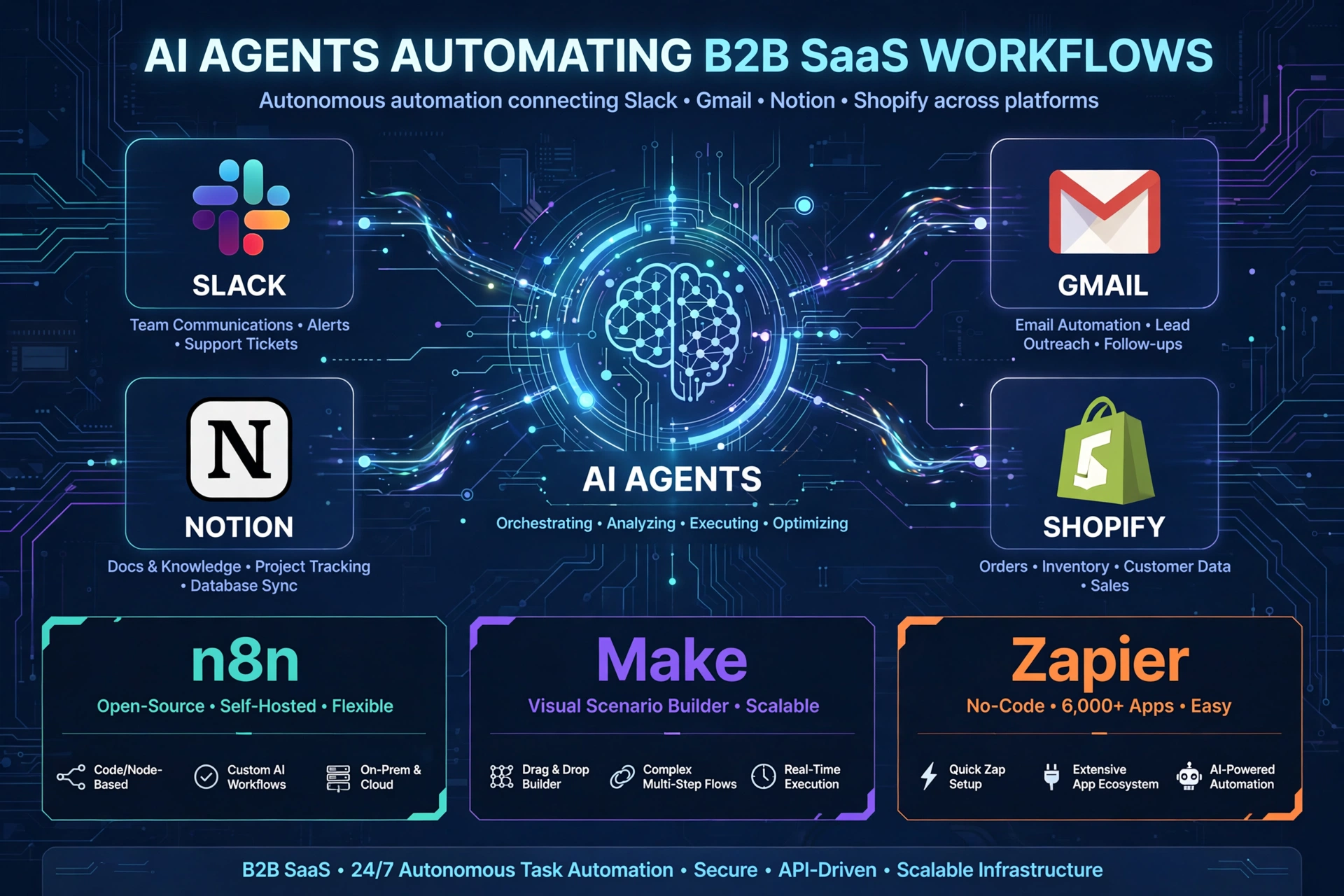
Scalability isn’t simply about whether a platform can execute more workflows.
It’s about whether the system remains manageable as your automation footprint grows.
Zapier has an obvious advantage when scalability means breadth of application connectivity. Its 9,000+ integration ecosystem makes it easier to build across a huge SaaS stack.
Make is strong when scalability means expanding visual business processes across departments.
n8n becomes particularly attractive when scalability means building a more controlled automation infrastructure.
That might include:
n8n’s current feature documentation highlights environments and Git-based source control as part of its deployment approach.
When it comes to n8n vs Make vs Zapier self-hosting, n8n is the only real choice. You can run it on your own infrastructure, ensuring GDPR compliance and data privacy. Make and Zapier are strictly SaaS.
Make also provides substantial customization through APIs and visual workflow logic.
As per Zapier, it provides developer-oriented capabilities too, but its core experience is more focused on managed automation and accessibility.
If your requirement is:
“I want the platform to adapt to my architecture.”
n8n deserves a very close look.
If your requirement is:
“I want my team to build this without becoming automation engineers.”
Zapier may be the better answer.
There isn’t one universal winner here. Before you commit, there’s one more thing to know. You only choose the wrong tool if you don’t know which platform is the best fit for your automation task. Good enough- that’s what we’re here to solve in this comparison of n8n vs Make vs Zapier.
The answer is straightforward. Choose n8n if you have in-house dev resources, need self-hosting for compliance, or are building advanced AI agent workflows.
It’s widely considered the best n8n vs Make vs Zapier alternative for developers and technical teams.
Go for Zapier if you need a workflow working today with zero technical debt. As for Make, consider using it if you need complex data routing but don’t want to manage servers.
Both are excellent n8n vs Make vs Zapier use cases for non-technical teams. While some evaluate n8n vs Make vs Zapier vs Power Automate, the latter is often too rigid for agile startup stacks.
Before you go, here’s the one thing that mattered more than everything else on this list. It’s
Your Decision Framework:
If you’re still unsure, ask yourself these two vital questions:
How complicated will my workflows become?
And:
How much technical control do I actually need?
Those two questions will eliminate most of the confusion you may be having.
As we wind down, here’s the lesson worth remembering: don’t choose an automation platform based on the number of features you’ll use on day one. Choose based on the complexity you’re likely to face six months from now.
A beginner-friendly tool can be perfect today and frustrating later, whereas a highly technical platform can be overkill today and exactly what your business needs tomorrow.
The right choice is the one that gives your team enough power to grow without making every simple automation unnecessarily complicated.
If you’d rather not figure this out alone, we’ve done this a couple of times. We recommend and hire the right Make.com, Zapier, and n8n automation specialists to help implement the right automation stack to maximize efficiency and ROI for our clients.
Not universally. n8n is generally the stronger choice when customization, APIs, code, self-hosting, and complex workflows matter. Make is often the better middle ground for visual, sophisticated automation without managing infrastructure. Zapier is usually preferable when simplicity and broad application connectivity are the priorities.
For most beginners, Zapier is the easiest. Make requires more time because its visual scenarios introduce more workflow concepts. n8n has a steeper learning curve when you start using APIs, webhooks, expressions, databases, custom code, and self-hosting.
That said, technical users may find n8n’s approach intuitive because it exposes more of the underlying workflow logic.
It depends on how you use the platform. Make currently starts at $12/month for 10,000 credits on its Core plan, while Zapier’s Professional plan starts at $19.99/month. n8n’s hosted plans use workflow executions as a major usage metric, which can make the economics very different for complex workflows.
Don’t compare subscription prices alone. Calculate how many workflows you’ll run, how many steps each contains, and how the platform counts usage.
n8n is often the strongest choice for highly customized, technical AI workflows, particularly when you need custom code, APIs, webhooks, databases, or self-hosting.
Make is excellent when you want sophisticated AI workflows through a visual interface.
Zapier is increasingly capable for AI orchestration and is particularly attractive when ease of deployment and broad app connectivity matter.
Yes. All three can be used for no-code or low-code automation.
You don’t need to be a programmer to create a basic workflow in any of them. The difference is how far you can go when the visual tools aren’t enough.
Zapier generally keeps beginners at a higher abstraction level. Make exposes more visual workflow logic. n8n gives technically capable users a particularly deep path into APIs, custom code, and infrastructure.