Physical Address
304 North Cardinal St.
Dorchester Center, MA 02124
Physical Address
304 North Cardinal St.
Dorchester Center, MA 02124
Three hours a day spent copying leads between apps. Spreadsheets that need constant updating. Salespeople manually checking forms, creating follow-up tasks, and sending emails that could have been triggered automatically.
None of this work is particularly difficult. But when your team performs these tasks hundreds or thousands of times a month, the lost time and the opportunity for human error can become expensive.
That’s why more businesses are turning to workflow automation. And if you’ve recently found yourself asking, ‘What is n8n?’ while researching automation tools, you’ve probably discovered a platform that deserves a closer look.
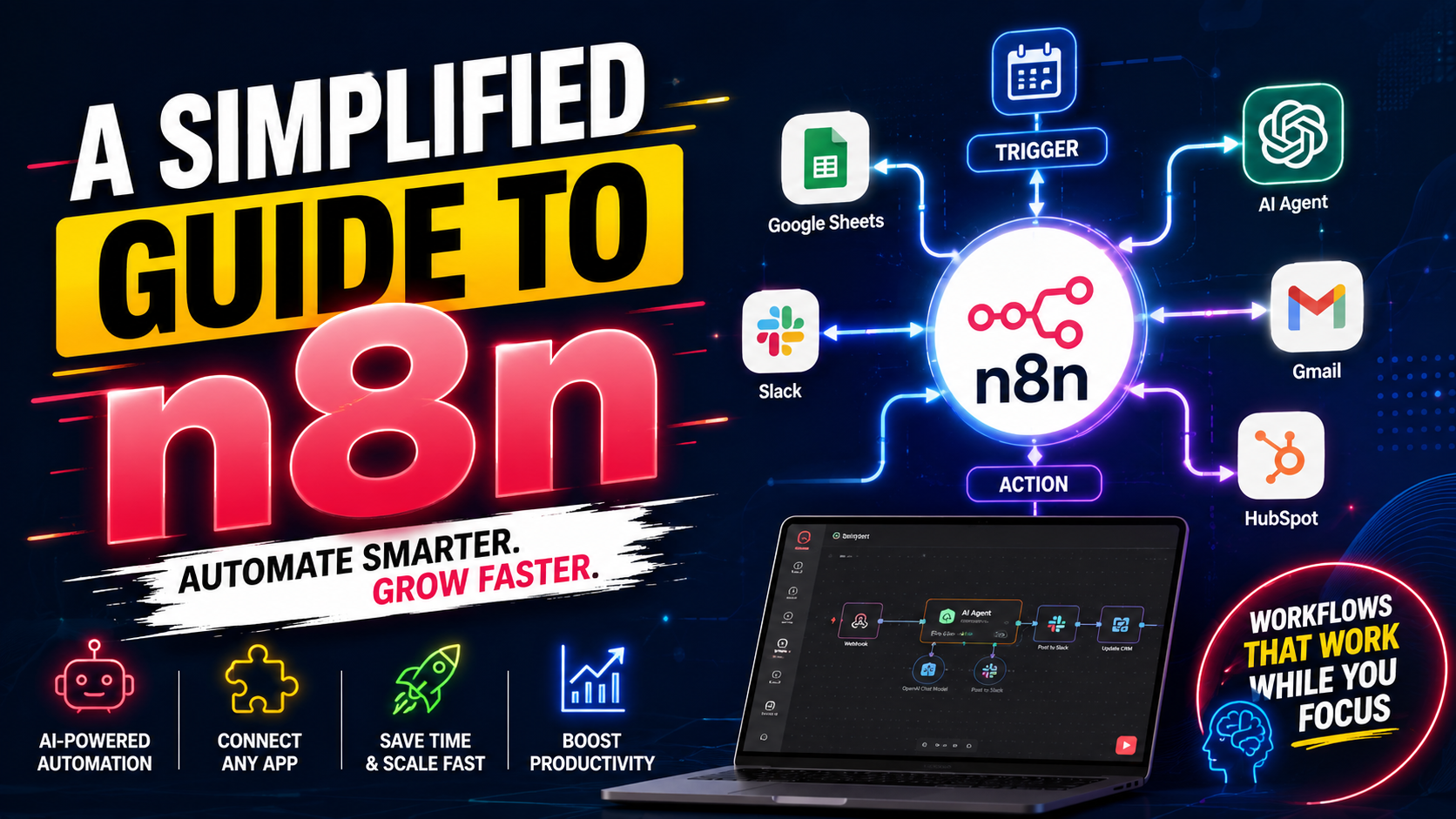
n8n allows businesses to connect the tools they already use and automate the steps between them. A new lead can enter your CRM, trigger company enrichment, notify a salesperson, create a follow-up task, and send a personalized email—all without someone having to move the process along manually.
But n8n is more than a tool for connecting a few business apps.
Unlike simpler automation platforms that can become restrictive as workflows grow more complex, n8n gives users greater control over how their automations are built and executed. You can connect APIs, work with databases, add custom code, integrate AI models, and build sophisticated workflows around your existing business systems.
That flexibility is one reason n8n has attracted so much attention from developers, automation specialists, agencies, and increasingly, business teams.
So, how does n8n actually work? What can you automate with it? And is it suitable for businesses that don’t have a team of developers?
Let’s start with the basics and answer the question at the heart of this guide.
So, what is n8n, exactly? At a basic level, n8n is a workflow automation platform that lets you connect applications, APIs, databases, services, and AI tools into automated processes.
But describing it that way doesn’t tell you why businesses are paying attention to it.
The more interesting question is this: what happens when you use n8n to automate an entire business process rather than just one repetitive task?
That’s where things get much more interesting.
It uses a visual workflow builder where individual steps are represented by nodes. A node can perform an action, receive information, transform data, call an API, communicate with another application, or make a decision.
For example, a simple workflow might look like this:
Website form → n8n → CRM → Email notification → Slack message
Instead of someone manually moving information through those systems, n8n can coordinate the process automatically and seamlessly.
That’s the central idea behind n8n workflow automation.
The name “n8n” is a playful abbreviation of “nodemation” — n, then 8 letters, then n. It’s a nod to the node-based structure that powers every workflow you build inside the platform.
As for what n8n is used for, the honest answer is: it is used for almost anything that involves moving or transforming data between systems.
Businesses use it for lead generation, CRM updates, customer support automation, invoice processing, social media scheduling, internal reporting, and increasingly, AI-powered workflows that summarize documents, draft replies, or qualify leads automatically.
If a task is repetitive, rule-based, or involves shuffling information from Point A to Point B, there’s a good chance n8n can handle it.
The platform can be used for simple automations, but its real strength becomes more obvious when workflows involve multiple systems, conditions, data transformations, APIs, databases, or AI.
For example, a B2B company could create a workflow that:
That isn’t merely “connecting two apps.”
It’s automating a business process.
And that distinction matters.
n8n currently supports hosted and self-hosted deployment options, with its pricing model based on workflow executions rather than charging separately for every individual step inside a workflow.
Traditional automation platforms often focus on a straightforward idea:
Such as: when X happens, do Y.
Let’s explain it further with this example.
When someone submits a Google Form, add the information to a spreadsheet.
That’s useful.
But businesses rarely operate through such simple processes.
A real workflow might be:
When a lead arrives, check whether the company already exists in the CRM. If it doesn’t, enrich the company data.
Then check the lead score. If the score is high, notify sales immediately. If the score is low, add the contact to a nurture sequence. If the data is incomplete, send it for review.
This is where n8n for business automation becomes particularly useful.
n8n gives you more control over branching, conditions, data manipulation, API requests, custom logic, and workflow structure than you might expect from a typical no-code automation tool.
It also supports code when visual configuration isn’t enough.
That means n8n sits somewhere between traditional no-code automation and developer-oriented workflow orchestration.
You don’t necessarily need to be a programmer to use it.
But the more technically demanding your workflows become, the more valuable technical knowledge becomes.
And that leads to one of the most important things to understand about n8n:
Easy to start doesn’t necessarily mean easy to operate at scale.
Understanding how n8n works is simpler than it sounds.
So, the easiest way to understand what n8n automation is is to stop thinking about it as an app connector and start thinking about it as a digital process manager.
Every workflow starts with a trigger, something that kicks the whole automation process into motion.
That could be a new form submission, a scheduled time of day, an incoming webhook, or a new row in a spreadsheet. From there, the workflow moves through a sequence of nodes, each one doing a specific job: filtering data, transforming it, sending it somewhere, or making a decision based on conditions you set.
Put simply, it’s more about you defining what should happen, when it should happen, what information should move between systems, and what should happen when something goes wrong.
On paper, that sounds simple enough. In practice, this is where n8n really shows its range compared to simpler tools.
Now, let’s break down the n8n vocabulary. It’s actually quite intuitive once you get the hang of it.
To understand how n8n works, imagine a relay race. The “trigger” is the starting gun. It could be a new form submission, a specific time of day, or a new email arriving.
Once triggered, the race begins. The data passes through “nodes,” which are individual steps or actions.
One node might format a date, the next might look up a contact, and the final node might send a Slack message.
Together, these n8n nodes and triggers form a complete n8n workflow automation map. You build this map using the visual n8n workflow builder, dragging and dropping elements onto a canvas.
Here is a visual representation of how it flows:
Trigger → Retrieve lead → Check CRM → Enrich data → Score lead → Branch → Notify sales
The advantage is that you can see how the process is constructed rather than hiding everything behind a single automation rule.
Yes, of course.
This is one of the major reasons businesses explore n8n. What is n8n automation without the ability to connect everything?
n8n is built on an API-first design, meaning it can communicate with almost any service that has an API (Application Programming Interface).
If n8n doesn’t have a specific integration, you can use the “HTTP Request” node to connect to any API directly.
It can connect directly to AI models from OpenAI, Google Gemini, and Anthropic. This lets you build n8n AI agent workflows that can do things like generate email responses, summarize documents, or even classify leads, all within your automated process.
That means you’re not restricted to applications with a perfect pre-built connector anymore.
Suppose your business uses a niche SaaS product that doesn’t have the exact integration you need.
If that service provides an API, n8n may still be able to communicate with it.
This changes the question from:
“Does n8n have an integration for my software?”
to:
“Can this software communicate through an API or another supported method?”
That’s a much more useful question for technical teams.
It also makes n8n API automation especially valuable for businesses with custom applications or unusual technology stacks.
We’re just scratching the surface here. The possibilities are vast, but let’s look at some practical n8n automation examples and n8n use cases for businesses.
Here are 10 practical areas where businesses can apply n8n automation.
Yes.
Lead management is one of the strongest business use cases.
Imagine someone downloads a report from your website.
Instead of simply sending their information to a spreadsheet, n8n could:
Now your sales team isn’t spending its time performing administrative work.
They’re working on qualified opportunities.
This is particularly useful when a company receives leads from several channels and wants to standardize what happens next.
People Also Read: Salesforce Integration With HubSpot Experts: Fix Your Broken CRM Now
It absolutely can. And this is the part almost nobody talks about when discussing n8n AI automation.
n8n can connect to your support ticketing system and automate routine responses.
For example, you can build a workflow that analyzes the sentiment of an incoming support email. If it’s negative, it can escalate it to a senior support rep. If it’s a simple question about pricing, it can send a pre-approved reply with your pricing sheet attached.
This is the power of n8n email marketing automation, ensuring timely and appropriate responses.
For instance:
New support request → classify → identify customer → check priority → create ticket → notify appropriate team
AI can also be incorporated into certain workflows where appropriate.
An incoming message could be summarized, classified, or analyzed before being sent to a human support representative.
The important distinction is that automation shouldn’t automatically mean removing people from the process.
Here’s a truth you’ve probably never thought about while trying to automate your business.
AI is one of the most exciting areas where n8n becomes particularly interesting because it can be used to build AI-powered workflows.
Instead of treating AI as a separate chatbot, you can place AI capabilities inside a larger business workflow.
This implies that you can combine AI with your automation to create intelligent systems.
Just imagine a workflow that takes raw meeting notes, sends them to an AI for summarization, and then emails the summary to all attendees.
Or a workflow that monitors social media for mentions of your brand and uses AI to flag negative comments for immediate review.
This is the “boring” but highly impactful stuff.
Suppose your operations team spends several hours every Monday collecting information from different systems and building a report.
n8n could potentially collect that same information or data automatically from one app, transform it, and push it to another.
For instance, you can set up a nightly workflow that pulls sales data from your e-commerce platform, calculates your top-selling products, generates a report in Google Sheets, and emails it to your management team.
This is how n8n business process automation eliminates manual errors and saves hours of work.
The broader lesson is simple:
Don’t automate tasks merely because they’re repetitive. Automate them when the process is predictable enough to be safely standardized.
That distinction will save you from many bad automation projects.
Why would a business choose n8n over its competitors? It comes down to a few key advantages.
The biggest benefit of n8n isn’t simply that it saves clicks.
It’s that it can give businesses greater control over how different systems work together.
For many complex workflows, n8n can offer more flexibility than simpler automation platforms.
n8n is often cited as a major n8n vs Zapier alternative because it handles complex logic better. You can build workflows with multiple branches, loops, and conditional logic that look like a flowchart.
This is hard to do on Zapier without it becoming a tangled mess. The n8n low-code workflow automation approach gives you more control and flexibility.
However, Zapier is often attractive because it makes basic automation easy to understand.
That’s a genuine advantage.
But as workflows become more complicated, businesses often need greater control over how data moves and how decisions are made.
n8n is built with that kind of flexibility in mind. n8n’s own comparison material positions it as a more flexible option for teams dealing with complex workflows and custom requirements.
That doesn’t mean n8n is automatically “better.”
It means the tools optimize for somewhat different priorities.
The real secret is truly hiding in plain sight: direct control. Businesses choose n8n for its data control and direct API connectivity.
Because n8n can be self-hosted, your data stays on your servers, which is critical for sensitive business information.
This data sovereignty is a huge n8n benefit for businesses in finance, healthcare, or any regulated industry.
Plus, for n8n API automation, the ability to make custom HTTP requests means you are never locked out of connecting to a service.
For technically capable teams, the ability to combine visual workflow building with code can also reduce the need to build every small integration entirely from scratch.
Potentially, yes—but don’t assume every automation automatically saves money.
The calculation should include more than software fees.
Consider:
Current manual cost + error cost + management cost + automation development cost + maintenance cost
For example, suppose an employee spends 10 hours each week moving information between systems.
The first question is obvious:
Can n8n eliminate most of those 10 hours?
The second question is more important:
How much effort will it take to build and maintain the automation?
If the workflow takes two days to build and saves 10 hours every week, the business case may be excellent.
If it saves only 20 minutes a month but requires complicated maintenance, automation may be unnecessary.
Automation should therefore be judged by business value, not by how impressive the workflow looks.
This is where a lot of first-time users get pleasantly surprised, then quickly confused.
There isn’t one simple answer to “Is n8n free?”
There are different deployment and pricing options.
Yes, n8n self-hosted automation is free to run under its source-available license, as long as you’re comfortable setting it up and maintaining it on your own server.
This is a major draw for startups and technical teams who want full control without a monthly subscription eating into a tight budget.
But here’s the catch people often fail to mention. There’s also an n8n Cloud platform. This is a paid, managed version where n8n handles all the hosting and maintenance for you.
It offers a free trial, but after that, you pay a subscription fee based on the number of workflow executions.
For a business owner who simply wants automation without managing infrastructure, it may not be the right fit.
This is the big decision. Here’s a breakdown so you have a complete grasp of what you’re getting into:
You own your data and have unlimited executions for the cost of your server. It has no per-task fees. It requires technical skills to set up and maintain.
It’s “pay-as-you-go” based on operations. There are no technical skills needed to maintain the software.
What all this boils down to is that with the former, you become responsible for much more of the infrastructure, whereas with the latter, n8n does the major lifting for you.
This is why the question shouldn’t simply be:
“Which option is cheaper?”
A better question should be:
“Which option gives my business the best balance between cost, control, security, and operational effort?”
Still talking money, while the software might be free or low-cost, you still need to pay for your server hosting fees of $5–$50 per month (if self-hosting), and the time it takes you or your team to set up and maintain it.
On the other hand, if you choose n8n Cloud, you’ve to pay a subscription, pay any premium third-party API subscriptions you connect to, and potentially the time or salary of your team members.
Additional costs could include hiring an n8n automation expert to build complex workflows for you, which is a great investment if you don’t have in-house expertise.
Some workflows shouldn’t be completely automated.
A cheap automation that creates expensive mistakes isn’t cheap.
There isn’t a universal winner.
The best platform depends on the type of automation you’re building and the technical ability of your team.
Often, it can be a strong choice for complex automation.
Zapier is well known for its ease of use and large collection of app integrations.
n8n tends to become more attractive when you need deeper workflow customization, API control, data manipulation, or developer-oriented capabilities.
Think of the difference this way:
Zapier: “Connect these applications and automate this task.”
n8n: “Design this entire process and control exactly how information moves through it.”
That’s an oversimplification, but it’s equally useful for understanding the positioning.
If your workflow is:
New email → Slack notification
you probably don’t need an elaborate automation architecture.
If your workflow is:
Lead → validation → enrichment → CRM lookup → scoring → branching → AI analysis → database → sales routing → reporting
then a more flexible workflow platform may make more sense.
This comparison is closer.
Make is also designed for more advanced workflow automation and visual scenario building.
n8n’s major attractions include self-hosting, developer tools, custom code, API flexibility, and execution-based pricing. Make also has strong visual workflow capabilities and extensive integrations.
As I mentioned earlier, the right choice depends on your team.
If your business wants a visual platform and doesn’t want to manage infrastructure, a hosted option may be more attractive.
If your developers want more control over the environment and workflow logic, n8n may be more appealing.
Neither platform should be selected simply because someone called it “more powerful.”
Power is useful only when you actually need it.
Zapier and Make are generally easier for non-technical users to start with.
They’re more polished and have simpler interfaces. n8n is easier once you get the hang of it, but it has a steeper learning curve.
If you have increasingly complicated workflows and access to someone who understands APIs, databases, JavaScript, or system architecture, n8n becomes much more compelling.
This might be a deciding factor if you don’t have technical support.
Here’s the part that gets overlooked in many automation guides.
Automation isn’t magic.
A badly designed automated workflow can make mistakes faster than a human can.
This is the biggest hurdle you’ll likely face with the platform. To set up n8n self-hosted automation, you need to be comfortable using the command line, Docker, and managing a server.
And if you want to leverage n8n API automation or self-host the software, a basic understanding of APIs, JSON, and server management is highly beneficial.
You might not expect this, but here it is: the learning curve is a small investment that pays massive dividends in control.
Hiring an n8n automation expert makes sense when the cost of getting the workflow wrong is greater than the cost of professional implementation.
This one insight separates the ordinary from the extraordinary. Hence, you should consider hiring an n8n Automation Expert when:
An expert isn’t valuable merely because they know where to click inside n8n.
The real value is understanding business processes, APIs, data structures, failure points, security, and maintainability.
That’s the difference between building an automation and building a system your business can depend on.
Before automating anything important, check:
They’re also vital checks that separate a useful automation from a fragile one.
Data quality deserves particular attention here.
If the information entering the workflow is wrong, n8n won’t magically fix it.
It may simply distribute the wrong information to five other systems.
That’s why a good automation architecture usually includes validation, error handling, logging, and clear ownership.
So, after all that, what is n8n from a business decision-making perspective?
The belief is that at this point, you’ve got the full picture: what it is, how it works, what it costs, and where it can trip you up. The remaining question is simple: does it make sense for you?
But whether it’s worth using depends on your actual problem.
n8n can be particularly attractive to businesses that want complete control over their data, run high-volume automations, or need to build complex, multi-step workflows will benefit the most.
This includes B2B SaaS companies, agencies, e-commerce businesses, operations-heavy teams, and any organization with a tech-savvy team that:
It’s also worth considering for automation agencies and consultants building workflows for clients.
The platform’s flexibility can be useful when every client has a slightly different technology stack.
This is an important question.
If your entire automation requirement is:
“When someone fills out my contact form, send me an email.”
you probably don’t need a complicated workflow architecture.
Likewise, if your team only has a few repetitive tasks each month, building and maintaining automation may not provide enough return.
Don’t automate something simply because you can.
Start with the business problem.
Then determine whether automation is the best solution.
Sometimes the answer will be n8n.
Sometimes it will be another automation platform.
And… sometimes, the honest answer will be:
Do nothing.
A manual process that takes five minutes a month isn’t necessarily a problem worth solving.
Start with the most repetitive, time-consuming, and error-prone task in your daily routine.
Just start with something small and manual. Think about a task that you do every day or week that is most repetitive, time-consuming, and error-prone.
For example, “I manually send a weekly sales report to my team.” In such a circumstance, build an n8n workflow to automate that task.
Once you see it work, you’ll start seeing opportunities to automate other parts of your business. This is the best way to answer “What should you automate first with n8n?”
This approach also makes it easier to discover whether n8n genuinely fits your business before you invest heavily in it.
And there’s one final insight worth remembering.
The real value of n8n automation isn’t the number of workflows you build.
It’s the amount of unnecessary work those workflows remove without creating new problems.
That’s the standard businesses should use.
If you came here asking what n8n is, the short answer is this:
It’s a powerful, flexible, and often more affordable way to automate the digital side of your business.
It provides the power for businesses to streamline operations, save money on per-task fees, and integrate AI into their core processes, all while maintaining complete control over their data.
Instead of having an employee repeatedly move information between systems, check records, send notifications, update databases, and make routine decisions, you can build a workflow that coordinates much of that work automatically.
The question now isn’t just, “What is n8n automation?” but rather, “Can I afford not to explore a tool that could transform how my business operates?” The answer, for many businesses, is a clear no.
If you have the technical ability or are willing to hire someone for n8n self-hosted automation, it’s a game-changer.
If you’d rather focus on your core business and not worry about the technical side, n8n Cloud is still a powerful and flexible alternative.
So don’t begin with:
“What can n8n automate?”
Begin with:
“Where is my business wasting time, and what part of that process is predictable enough to automate safely?”
Once you answer that question, you’ll have a much clearer idea of whether n8n is the right tool—and whether you should build the workflow yourself or bring in an experienced automation professional.
1. What is n8n used for in business?
n8n is used to automate business processes by connecting applications, APIs, databases, AI services, and other systems. Common n8n automation examples include lead routing, CRM updates, data synchronization, reporting, customer-support workflows, notifications, data processing, and AI-assisted workflows.
Its biggest advantage is the ability to build multi-step workflows rather than limiting automation to simple two-app connections.
2. Is n8n free to use for business automation?
n8n offers a self-hosted Community Edition that can be used without a software subscription fee. However, self-hosting still involves infrastructure, maintenance, security, and other operational costs. n8n also offers paid Cloud plans where n8n manages the hosted environment.
The current Cloud pricing model is based on workflow executions, with unlimited steps within an execution.
3. Is n8n better than Zapier for business automation?
It depends on the workflow.
Zapier can be a strong choice when simplicity and quick setup are the priorities. n8n can be more attractive for complex workflows that require custom API calls, advanced data manipulation, branching, code, or self-hosting.
The best platform is the one that matches your business’s technical requirements and internal skills.
4. Do you need coding skills to use n8n?
No.
You can create many workflows through n8n’s visual interface without writing code.
However, coding and technical knowledge become increasingly useful for advanced workflows involving APIs, databases, custom logic, complex data transformation, authentication, and infrastructure.
So, the better answer is:
You don’t need to code to start using n8n, but technical skills can significantly expand what you can do with it.
5. When should you hire an n8n automation expert?
Consider hiring an n8n automation expert when your workflows are complex, business-critical, involve sensitive data, require custom API integrations, or need reliable self-hosting and maintenance.
A professional can also help you identify whether the process should be automated in the first place.
That’s important because good automation isn’t about creating the most complicated workflow.
It’s about creating the simplest reliable system that solves the business problem.